
If you're responsible for IT service delivery, you already know that ITSM functions are the backbone of how your organization supports employees. But here's what often gets missed: the right ITSM functions only deliver real value when they're built into a portal experience that your people actually want to use.
That's the gap most teams struggle with. You have the processes. You have the tools. But your default Freshservice portal doesn't reflect your brand, doesn't guide users intuitively, and doesn't encourage adoption. The result? Your carefully designed ITSM functions underperform because employees avoid the portal when they can.
Related: Best ITSM Standards Framework for Freshservice Portal
Related: Best Unified Portal for Freshservice ITSM Teams
Related: Best Vendor Portal for Freshservice ITSM in 2026
Let's walk through the core ITSM functions that matter most, how they work together, and how a professionally designed portal experience amplifies their impact. When you align your ITSM functions with a branded, user-friendly portal, you unlock the true strategic value of your investment.
What ITSM Functions Actually Do (And Why Your Portal Matters)
ITSM is the end-to-end management of IT service delivery designed to align with and support your business goals. That sounds abstract, but it breaks down into specific functions that handle real work every day.
Incident management responds to service disruptions. Service request management handles the volume of routine asks. Change management ensures updates don't break what works. Problem management digs into root causes so incidents don't repeat. Knowledge management captures the lessons learned so your team doesn't solve the same issue twice.
These five functions (and others) don't exist in isolation. They work as an integrated system. An incident reveals a problem, which drives a change, which updates the knowledge base, which reduces future service requests.
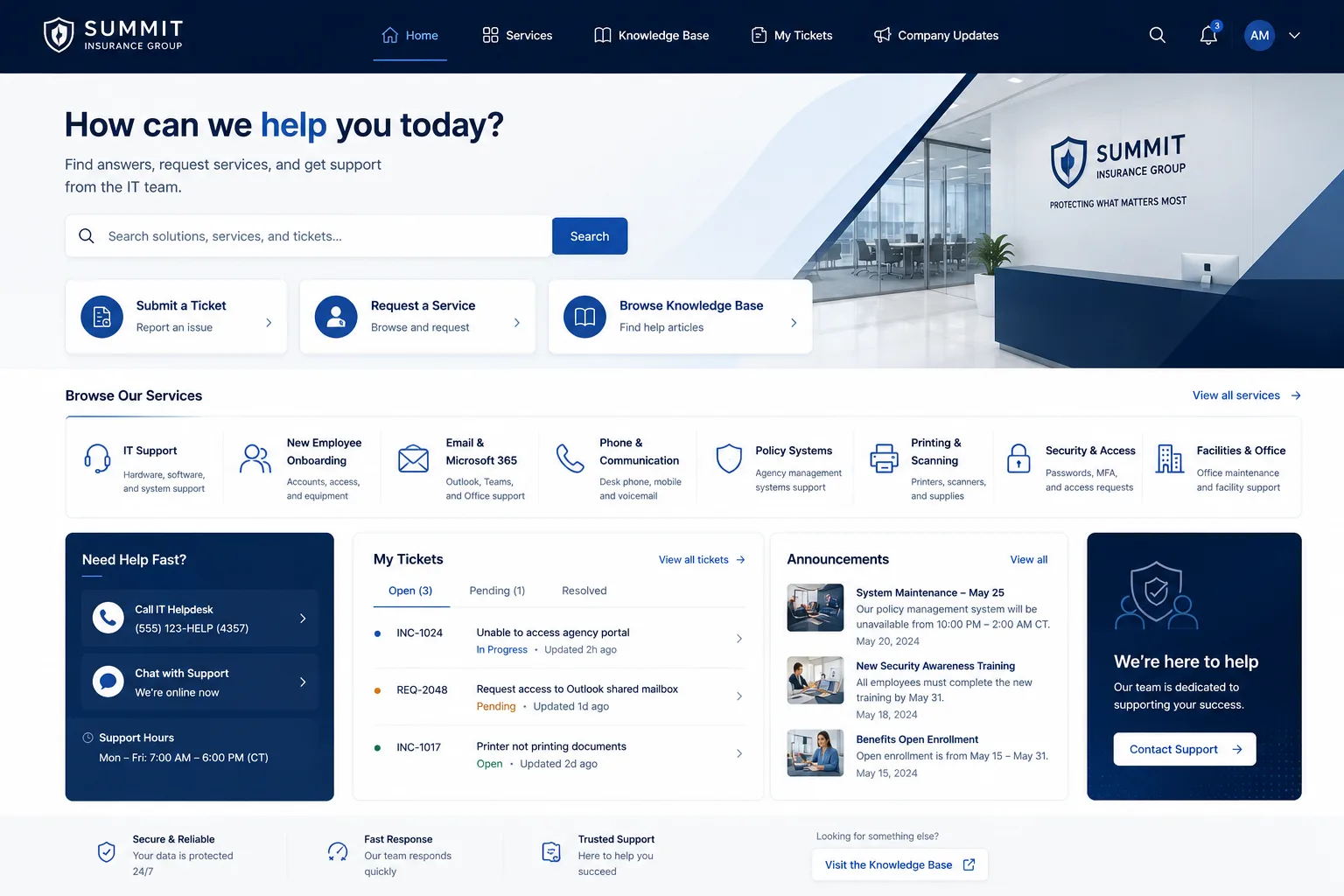
But here's the reality: employees won't engage with this system if your portal feels generic, confusing, or disconnected from how they work. A branded, thoughtfully designed Freshservice portal removes friction and makes each ITSM function more effective because users actually show up. When Ascend Portal Experience redesigns a portal, the underlying ITSM processes don't change. What changes is adoption, because the experience finally reflects your organization's standards and values.
The Five Core ITSM Functions You Need to Master
Incident Management: This is your emergency response. When a service goes down or a user can't work, incident management gets them help fast. Your portal should make reporting an incident quick and painless, and let the user track resolution in real time. A well-designed experience reduces escalations because users feel heard.
Service Request Management: Most IT work isn't emergencies. It's requests: provisioning software, resetting passwords, approving access, ordering hardware. Your portal is the storefront for this work. If it's hard to navigate or doesn't show available options clearly, employees will email or call instead, overloading your team. A branded portal that displays service requests like a modern web app drives self-service adoption.
Change Management: This function protects your environment from unnecessary risk. A change goes through approval, testing, and scheduling before it touches production. Your portal should make it easy for requesters to submit changes, easy for approvers to review them, and transparent for everyone to see what's planned. Clarity reduces resistance and speeds deployment.
Problem Management: While incidents are about restoring service, problems are about preventing recurrence. This function finds root causes and drives permanent fixes. Your portal should encourage users and support staff to report and discuss systemic issues so your team can prioritize the most impactful work.
Knowledge Management: Every time your team solves a problem, that knowledge has value. Knowledge management captures solutions, best practices, and troubleshooting steps so employees can find answers without submitting a request. A well-integrated Freshservice portal makes the knowledge base a natural part of the user journey, reducing ticket volume and improving satisfaction.
How Integration Multiplies the Value of ITSM Functions
The magic of ITSM happens at the intersections. When incident management connects to problem management, you stop treating symptoms and start fixing root causes. When service request management feeds into change management, governance stays tight even as the business moves fast. When knowledge management sits at the front of your portal, users solve their own problems without creating tickets.
But integration only works if your portal architecture supports it. A generic Freshservice setup keeps these functions separate and siloed. Users don't see the connections. Your team doesn't leverage the data flow. You get process without power.
That's why a professionally customized portal matters. When your Freshservice portal is designed with your ITSM functions in mind, every screen, workflow, and integration point is intentional. The portal guides users toward the right function at the right time. Knowledge surfaces before users need to submit a ticket. Incident responses feed into problem analysis automatically. The whole system becomes greater than the sum of its parts.
Designing for Business Alignment, Not Just Process Compliance

Here's where many ITSM initiatives stumble: they focus on following the process, not on achieving the business outcome.
You don't implement ITSM functions to check boxes or satisfy audits. You implement them to improve how the organization runs. That means your ITSM functions need to be tailored to your actual business needs, not installed as a generic template.
Your portal is where that tailoring becomes visible. If your business depends on rapid software deployment, your change management and knowledge functions should be front and center, fast and intuitive. If your organization struggles with onboarding speed, your service request management and knowledge base should guide new employees to the answers they need. If security is a top concern, your incident and change workflows should enforce compliance at every step.
A Freshservice portal customized for your unique context ensures your ITSM functions actually solve the problems you care about. Ascend Portal Experience specializes in this kind of strategic design, building portals that translate ITSM functions into tangible business outcomes. The Ascend Professional Portal Package includes discovery and design phases that map your business goals to your portal experience, so ITSM functions work for you, not against you.
Want to work together?
Get in Touch →From Process to Practice: The Implementation Path
Effective ITSM requires moving beyond documentation to practical application. You can have perfect incident management procedures on paper, but if your portal makes reporting an incident confusing, employees will bypass the system.
The implementation path starts with understanding how your users actually work. What does incident response look like in your environment? How do approvers review changes? Where do support staff spend their time? Then your portal is designed and customized to support that reality, not an idealized textbook version.
This is where fixed-price, premium portal customization pays for itself. Instead of years of incremental tweaks and custom builds that spiral in cost, you get a clear vision for how your Freshservice portal will look, work, and integrate with your ITSM functions. The result is faster implementation, clearer outcomes, and a portal that your team and employees are actually proud to use.
Related: Best Freshservice Portal Implementation 2026: Top 5 Ranked
If you're ready to stop settling for a generic Freshservice experience and want your ITSM functions to deliver their full potential, Ascend Portal Experience can help you design the portal that brings your ITSM strategy to life.
Continuous Improvement and Long-Term Success
One final truth about ITSM functions: they're never really "done." Service delivery is an ongoing practice, not a one-time implementation.
Your portal becomes the platform where continuous improvement happens. Feedback from users shapes how incident and service request workflows evolve. Data from change management shows you where your processes are slowing down deployment. Knowledge base analytics reveal which topics employees ask about most, guiding your problem management priorities.
A well-designed, branded portal makes it natural for teams to collaborate, iterate, and improve. Instead of clunky email threads and spreadsheets, your ITSM functions generate actionable insights. Your portal becomes the central nervous system of IT service delivery.
What are the main ITSM functions I should focus on first?
Start with incident and service request management, as they handle the highest volume and have the most visible impact on user satisfaction. Once those are running smoothly in your portal, layer in problem management and knowledge management to reduce the underlying drivers of repeat issues. Change management works best when it's integrated across the other functions.
Can I implement ITSM functions in Freshservice without portal customization?
Technically yes, but you'll leave significant value on the table. A default Freshservice setup supports the processes, but a customized, branded portal transforms the user experience. You'll see higher adoption, better data quality, and faster resolution times when your employees actually want to use the system.
How long does it take to align our portal with our ITSM functions?
It depends on your starting point and the scope of customization. A straightforward redesign can be completed in weeks. A comprehensive portal transformation that integrates multiple ITSM functions and custom workflows takes longer. Ascend Portal Experience works with fixed-price engagements so you know the timeline and investment upfront.
How do I know if my ITSM functions are actually working?
Track metrics like incident resolution time, service request fulfillment rate, change deployment success rate, and knowledge base usage. Your portal should provide visibility into these metrics so you can see how each ITSM function is performing and where to improve. A customized portal makes this reporting natural and actionable rather than a manual effort.


