
Your IT service management portal is either your team's greatest ally or a quiet source of frustration. If employees avoid it, tickets pile up in your helpdesk. If they love it, your IT team gets freed up to focus on strategy instead of routine password resets and basic troubleshooting.
The difference isn't complicated. It comes down to how you design the experience around what your users actually need to do, not what the software can technically do. Let's walk through the IT service management portal best practices that drive real adoption and measurable results for teams using platforms like Freshservice.
Related: Self Service Portal: Setup & Best Practices for 2026
Related: IT Service Portal Modernization Guide: Best Practices for 2026
Start With Employee Experience, Not Technology
The biggest mistake IT leaders make is treating a portal as a feature to check off. "We have self-service now" sounds good in a budget meeting, but it doesn't move the needle if employees still pick up the phone instead of using it.
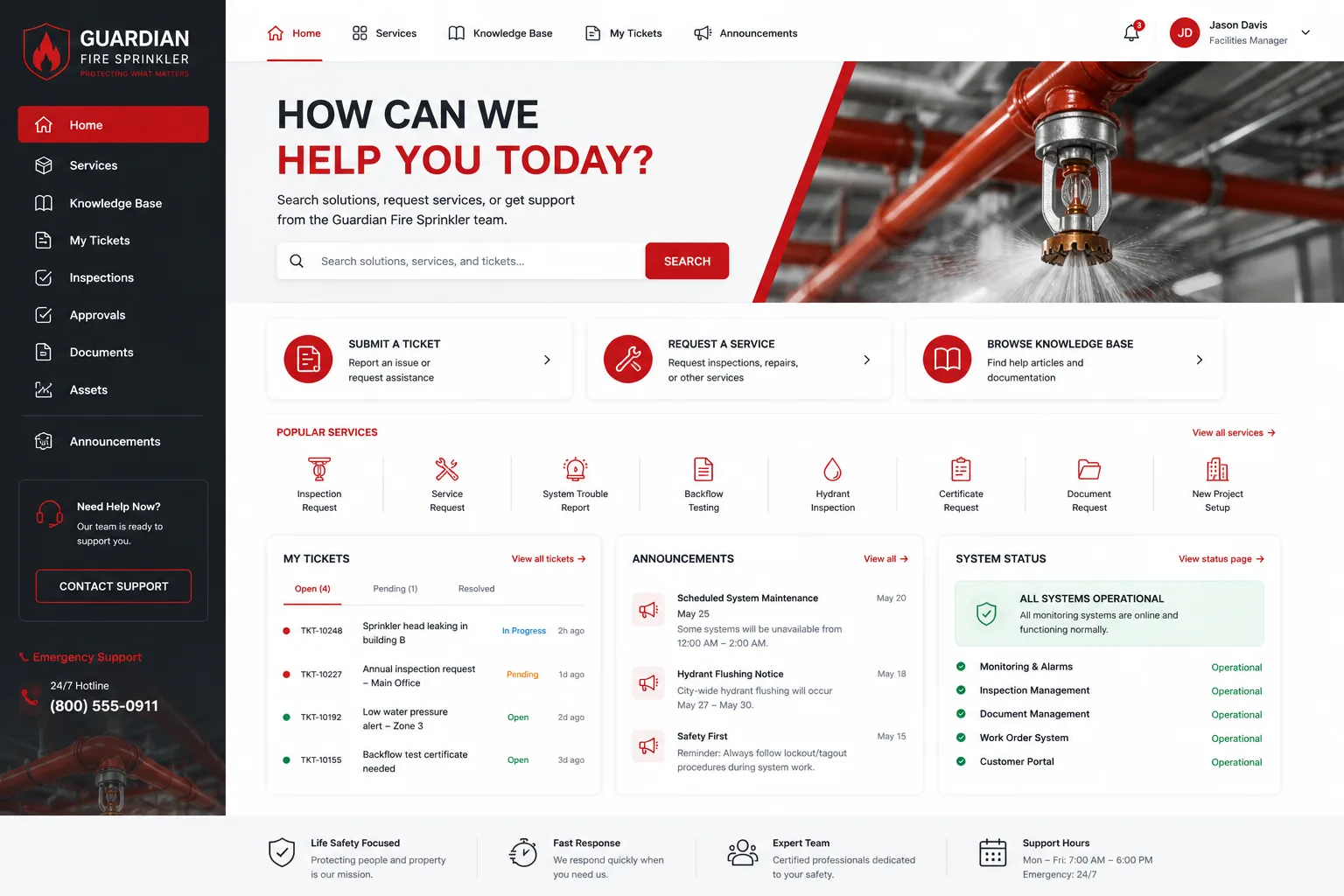
Your portal only works when people choose to use it. That choice happens when the experience feels easier and faster than asking for help. Before you touch any settings or customization, step back and ask: what are the five tasks your users do most? Request a laptop. Report a network issue. Reset a password. Submit an expense. Find IT contact info.
Design around those tasks first. Everything else is secondary. When Ascend Portal Experience builds a portal, this is where the conversation starts, not with templates or default configurations.
Make Self-Service Voluntary, Not a Barrier
Here's a practice that trips up a lot of teams: they make self-service mandatory. "You must use the portal. No more calling." That sounds efficient on paper, but it backfires. Frustrated users find workarounds. They escalate to your boss. Adoption stalls.
Instead, position self-service as the fastest option. If you need help urgently, the portal gets you an answer in five minutes. If you call, you wait on hold. The choice becomes obvious without forcing anyone's hand.
This mindset shift is one of the most underrated ITSM portal best practices. It removes friction and turns the portal into something users want to use, not something they resent.
Design Workflows Around Clarity and Speed
Frictionless interfaces win. That means every form should ask only what's necessary. Every button should lead where users expect. Every step should feel like progress toward a resolution.
When someone reports an incident, they should be done in two minutes. Not two screens of dropdown menus. Not mandatory fields that don't matter. Two minutes, and they have a ticket number and a timeframe for resolution.
The same logic applies to knowledge searches. If your portal has a knowledge base but it takes three clicks to find an answer, users will skip it. Make search prominent. Make articles easy to scan. Let users solve problems independently without friction.
Empower Users to Solve Problems Themselves

Every ticket your team prevents is one less ticket your team has to handle. That's the economic reality that drives self-service value.
Build your portal around knowledge management and guided troubleshooting. When someone submits a ticket, show them related articles and common solutions before they hit "Submit." Often they'll find their answer right there.
Related: Best Enterprise IT Service Management Portal Redesign Solutions 2026
For password resets, incident tracking, and FAQ lookups, put the power in the user's hands. This is where your portal moves from a helpdesk tool to a force multiplier for your IT team. Ascend Portal Experience specializes in designing portals that do exactly this, turning a standard Freshservice instance into a branded self-service powerhouse.
Want to work together?
Get in Touch →Establish Clear SLAs and Track Them Transparently
Users trust a system when they know what to expect. That's where SLAs matter. Set a clear response time for incident reports. Show users exactly where their ticket stands in the queue. Tell them when they can expect resolution.
Your portal should display this information automatically. Not buried in an email. Not in a separate tool. Right there on the ticket detail page, so users see accountability in real time.
When IT follows through on those SLAs, adoption grows. Users learn the portal actually works, and they keep coming back.
Automate Routine Processes to Free Your Team
Automation isn't about replacing people. It's about moving people away from repetitive work and toward problems that need judgment and expertise.
Use your portal and ITSM platform to automate password resets, license requests, basic troubleshooting prompts, and ticket routing. When a user submits a request, workflows should trigger automatically. Approval chains should move forward without manual handoffs. Knowledge articles should surface without someone reading every ticket.
The payoff is straightforward: your IT team spends less time on routine admin and more time on strategy, security, and systems that matter to the business.
Assess Your ITSM Maturity Across Key Areas

Not all ITSM portals are equal. Your current maturity matters. Are you managing incidents well? What about changes and asset tracking? How solid is your knowledge management? Are SLAs being met?
Before you redesign or customize your portal, run a quick maturity check across these areas: incidents, changes, assets, knowledge management, SLAs, and automation. This tells you where to focus first. Maybe your biggest win isn't a fancy UI, but fixing how changes flow through your system.
This diagnostic approach prevents wasted effort on portal features that won't move the needle yet. If you're uncertain where to start, Ascend Portal Experience can help you identify gaps and prioritize improvements based on your actual needs.
Make Your Portal Reflect Your Brand
Generic portals feel generic. Your employees notice. A branded portal that matches your company's identity, tone, and color scheme signals that IT is part of the core business, not an afterthought.
This isn't vanity. Branded experiences build trust and engagement. When your portal feels intentional and professional, users take it seriously and use it more consistently.
If you're running Freshservice, the Ascend Professional Portal Package is built specifically for this kind of transformation, taking a standard platform and turning it into a branded, purpose-built employee experience.
Put It All Together: The Outcome You're After
When you follow these ITSM portal best practices, the results compound. Employees use self-service more. Tickets drop. Resolution times improve. Your IT team shifts from reactive firefighting to proactive work. Service quality goes up. User satisfaction follows.
The portal stops being a feature and becomes the front door to IT service that actually works.
What's the most common reason employees avoid a portal?
Friction. Either the interface is confusing, forms ask for information the user doesn't have, or it's faster to ask someone for help. Remove friction by designing around actual user workflows and keeping forms minimal. Show users the benefit (faster resolution) versus the cost (a few quick steps).
How long does it take to see adoption improve?
Quick wins can appear within weeks once you address the biggest friction points. Sustained adoption typically grows over 2-3 months as users learn the portal works and builds it into their routine. Consistent, reliable performance and transparent SLAs accelerate this curve.
Do we need to automate everything?
No. Start with high-volume, low-complexity tasks like password resets and simple requests. Automate the workflows that save the most manual handling first. Build from there based on what your team learns and where the biggest gaps appear.
Should we force users to use self-service?
Not directly. Instead, make self-service so fast and reliable that it becomes the obvious choice. Build trust by setting and meeting clear SLAs. Remove friction from the process. Over time, usage grows because users prefer it, not because they're forced.


