
A self service portal is basically a digital front door where your employees can solve their own problems without calling IT. They can reset passwords, request software, submit expense reports, track ticket status—all without waiting on hold or sending an email.
If you're managing IT operations or running a service desk, you already know how much time these simple requests drain from your team. A solid self service portal cuts that friction in half. In this guide, we'll walk through what makes a self service portal actually work, what features you need, and how to get real adoption from your workforce.
Related: Best Enterprise IT Portal Personalization Features for 2026
Related: What is a UI Portal? Complete B2B Guide for 2026
Related: What Is an Application Portal? B2B Guide for 2026
Related: What Is an ESS Portal? Complete Guide for 2026
Related: Best Freshservice Portal Optimization for Adoption in 2026
Related: Best Freshservice Portal Navigation Improvements for 2026
Related: How to Rebrand Freshservice Helpdesk Portal in 2026
Related: Best Self Service Helpdesk Portal Design for Freshservice
Related: Branded Helpdesk Portal Best Practices for Freshservice
Related: IT Service Management Portal Best Practices for 2026
Related: Service Desk Strategy Examples: Real-World Best Practices
Related: Best Employee Helpdesk Portal User Experience in 2026
Related: Best Vendor Portal for Freshservice ITSM in 2026
Related: Best Enterprise IT Service Management Portal Redesign Solutions 2026
What Exactly Is a Self Service Portal?
Think of it as a branded hub where employees log in and handle routine IT requests on their own schedule. Instead of submitting a ticket and waiting, they get instant access to common workflows like requesting equipment, submitting time-off, updating their profile info, or checking on past requests.
The portal sits on top of your ITSM system—tools like Freshservice, ServiceNow, or similar platforms. But here's the thing: the default out-of-the-box portal? It's usually generic, unintuitive, and employees hate using it. That's where intentional design and customization come in.
Related: Best Employee Self Service Portal Design & UX Guide 2026
Related: Freshservice Portal Design Best Practices: 2026 Guide
Related: ITIL Service Desk Best Practices: 5 Core Strategies
Related: IT Service Portal Modernization Guide: Best Practices for 2026
When Ascend Portal Experience works with organizations, they're not just deploying a portal—they're building an experience that feels like it was made for that specific company, which drives adoption and actually reduces helpdesk volume.
Want to work together?
Get in Touch →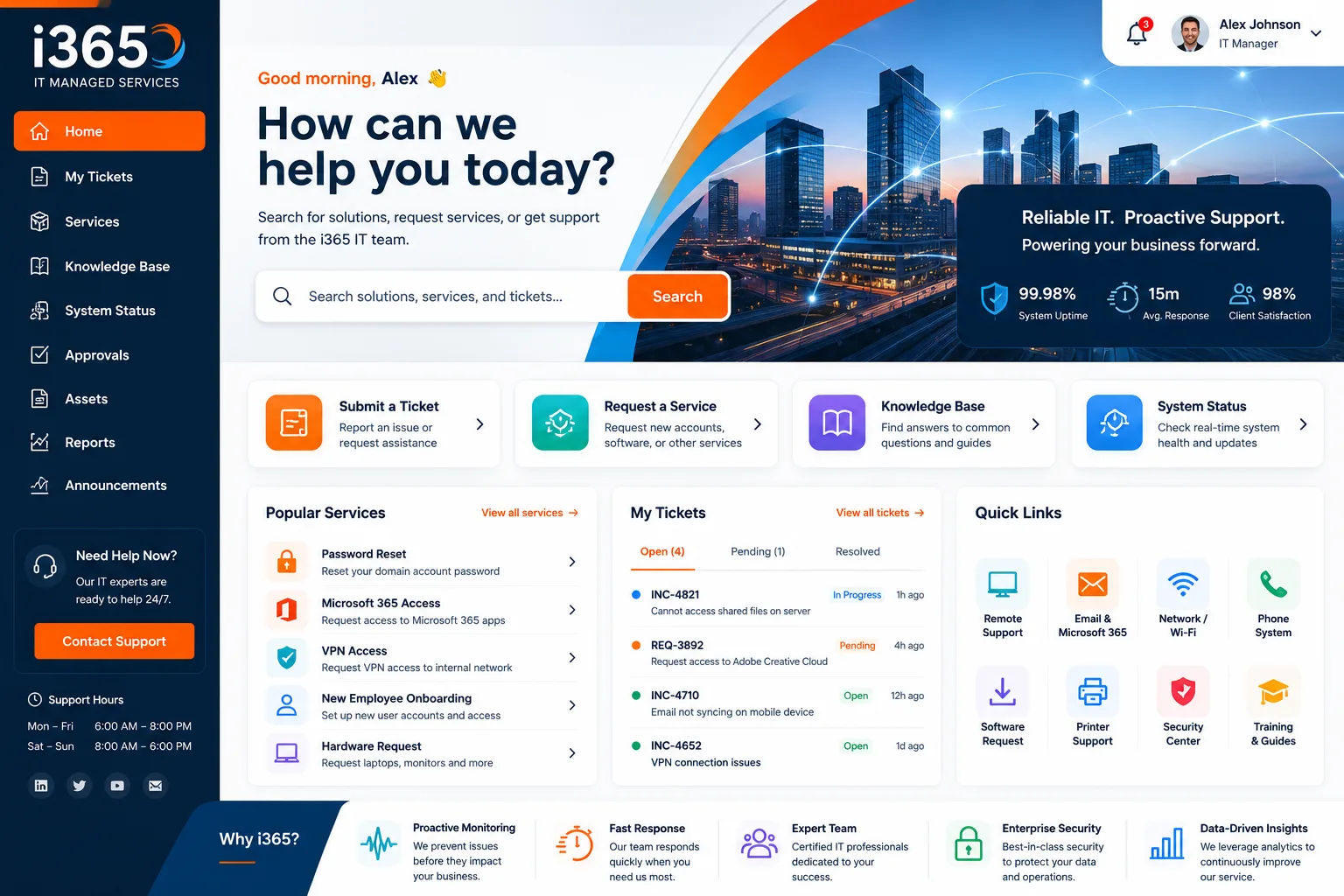
Why Your Organization Needs a Self Service Portal
Let's be honest: every IT team is understaffed. A self service portal addresses the core problem: repetitive, low-value requests that eat up your analysts' time.
- Cuts helpdesk volume by 20-40%: Employees resolve their own issues instead of submitting tickets for common requests.
- Improves employee satisfaction: Instant answers beat waiting for a callback. People get what they need when they need it.
- Reduces operational cost: Fewer tickets means fewer analysts needed to handle the queue, freeing your team for strategic work.
- Creates a branded employee experience: A portal that matches your company's look and feel feels professional, not generic.
- Gives you data: You can track which requests are most common, which helps you anticipate demand and automate further.
The math is simple. If your helpdesk handles 500 tickets a month and even 15% are password resets or FAQ-type questions, a self service portal handles 75 of those automatically. That's real bandwidth back to your team.
Core Features Every Self Service Portal Should Have
Not all portals are built the same. Here's what actually moves the needle:
Multi-Benefit Request Capability
Employees should be able to submit multiple types of requests from one place. Equipment requests, software access, facility bookings, policy questions—all in one streamlined interface instead of hunting for different forms across multiple systems.
Real-Time Ticket Tracking
Your employees want to know where their request is. A portal that shows ticket status, estimated resolution time, and who's working on it reduces followup emails and calls by a huge margin.
Dedicated Help Support
Even with a great portal, some employees get stuck. Having a clear support channel—whether that's a help desk phone line, live chat, or knowledge base—prevents frustration and keeps adoption high.
Knowledge Base Integration
Link your self service portal to FAQs, how-to videos, and troubleshooting guides. Most employees don't want to submit a request; they want to solve it themselves. A searchable knowledge base does that.
Account Self-Management
Employees should be able to update their own profile info, manage permissions, reset passwords, and control notification preferences without contacting IT. It's empowering and reduces basic maintenance tickets.
How to Design a Self Service Portal That People Actually Use
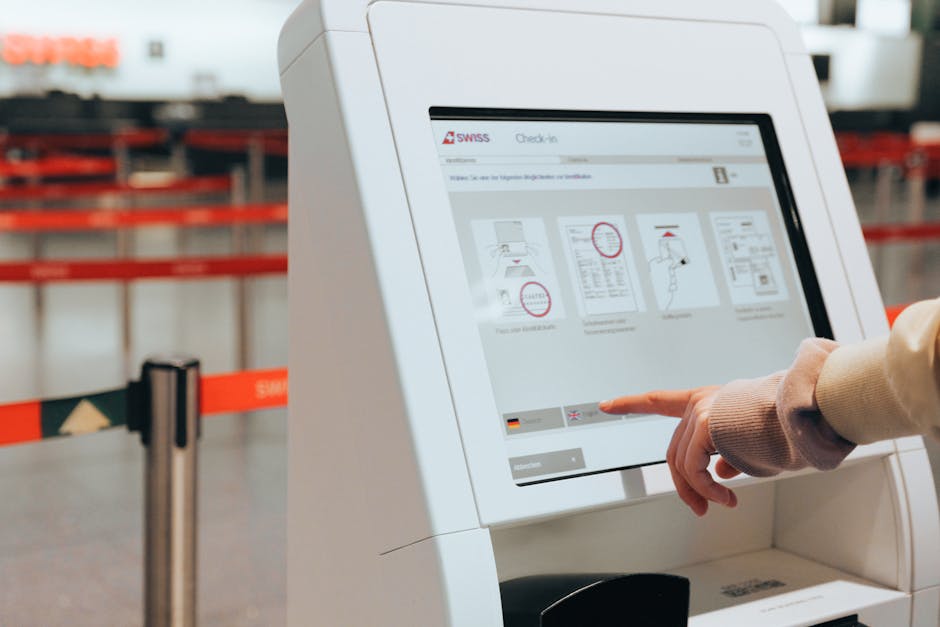
Here's where most organizations mess up: they deploy a portal and assume people will use it. They won't—not unless it's intuitive, fast, and matches how your company works.
Make It Visually Match Your Brand
A generic gray-and-blue portal screams "corporate helpdesk." Your portal should feel like part of your company. Use your logo, colors, and tone of voice. It sounds cosmetic, but it dramatically increases trust and adoption.
Simplify the Navigation
If an employee has to click through five menus to request software, they'll email the helpdesk instead. The most common requests should be one click away. Design for your actual users, not for your organizational structure.
Mobile-First Design
It's 2026. Your portal needs to work on phones as well as desktops. Remote employees especially rely on mobile access. If the mobile experience is clunky, adoption tanks.
Smart Routing & Automation
Not all requests are the same. Use conditional logic to route software requests to one team, facility requests to another, and FAQs to the knowledge base. Let the system do the work.
Gather Feedback Early and Often
After launch, survey your employees. Find out which features they use, which ones confuse them, and what's missing. A self service portal is never "done"—it evolves based on real usage data.
This is exactly why organizations turn to Ascend Portal Experience for portal customization. They handle the design heavy lifting so you don't have to iterate eight times before it actually works.
Implementation Steps for Rolling Out Your Self Service Portal
Here's a realistic timeline:
Phase 1: Plan & Design (2-3 weeks)
Map out your most common requests. Interview your team. Define which workflows go into the portal. Sketch the user flows. Decide on branding and tone.
Phase 2: Build & Customize (4-8 weeks)
Customize your ITSM platform. Add custom fields, build the knowledge base, integrate authentication, set up routing rules. Test everything internally.
Phase 3: Pilot Launch (1-2 weeks)
Roll out to a small group of power users or a single department. Collect feedback. Fix bugs. Document common questions.
Phase 4: Full Rollout (1-4 weeks)
Launch to the entire organization. Send communication. Train managers. Monitor adoption metrics daily. Provide support for early issues.
Phase 5: Optimize (Ongoing)
Track which requests get submitted to the portal vs. the helpdesk. Improve the workflows that drive the most volume. Add missing features based on usage.
The entire cycle typically takes 2-4 months for organizations with clear requirements and decent technical resources. If you're starting from scratch, Ascend Portal Experience compresses that timeline by handling design, customization, and launch support under a fixed price.
Measuring Self Service Portal Success
You need to track whether your portal is actually working. Here are the metrics that matter:
- Portal adoption rate: What percentage of your workforce logs in at least once a month? Aim for 70%+.
- Ticket volume reduction: Did requests submitted through the portal reduce helpdesk volume? Track this by request type.
- Average resolution time: For self service requests, what's the average time from submission to completion? It should be much faster than traditional tickets.
- Employee satisfaction: Survey employees on portal ease of use. Track NPS or simple satisfaction scores.
- Cost per ticket: Calculate the cost to process a ticket through the helpdesk vs. through self service. The portal should be significantly cheaper.
- Knowledge base usage: How many times do employees view knowledge articles instead of submitting tickets? Higher is better.
If you're not seeing improvements in these areas within 60 days of launch, something's wrong with adoption or design. Don't assume the portal failed—assume it needs refinement.
Common Pitfalls to Avoid

Most self service portal projects stumble for predictable reasons:
Launching without a communication plan: People won't use a portal they don't know exists. Email announcements, team meetings, manager briefings, and in-app prompts are all necessary. Treat launch like a product release.
Building workflows that don't match reality: A 10-step approval process in your system might work for you, but if employees see it in the portal, they'll bypass it. Simplify workflows for self service.
Ignoring mobile users: If half your team is remote and uses phones, a desktop-only portal is dead on arrival.
Forgetting about change management: Some of your helpdesk team might resist a portal because it changes their workflow. Involve them early. Show them how it makes their jobs better, not worse.
Never iterating: Deploy the portal, then walk away. That's a recipe for low adoption. Plan for continuous improvement based on actual usage data and feedback.
The Role of Professional Portal Design in Your Success
Here's the hard truth: you can deploy a self service portal with your ITSM platform's default interface, and it'll probably get ignored. The difference between a portal that 30% of your team uses and one that 75% uses is design quality and brand alignment.
That's not to say you need to hire a design agency for six months. But you do need someone who understands both your business needs and user experience to build it right the first time. Thoughtful customization, clear workflows, and a branded experience aren't nice-to-haves—they're essential to adoption.
Organizations that invest in professional portal customization see measurably better adoption, higher ticket deflection, and faster ROI. It's worth the upfront cost because it compounds over time.
What happens if employees don't use the portal?
If your portal sits idle, the problem is usually design or communication, not the concept. Start by surveying non-users. Ask why they're not using it. Common reasons: they don't know it exists, they found it confusing, it didn't solve their actual problem, or they're just creatures of habit. Fix the communication first. If adoption still stalls, redesign the most-needed workflows based on your data.
How long does it take to see ROI from a self service portal?
If you measure ROI as reduced helpdesk costs, you should see it within 60-90 days of a full rollout. Early adopters might show value immediately; laggards will take longer. The longer timeline is usually driven by adoption, not the portal itself. A well-designed portal that reaches 60% adoption typically pays for itself within the first year through labor savings alone.
Can I integrate a self service portal with tools outside my ITSM platform?
Yes, but it gets complicated. Most portals work best when they're tightly integrated with your primary ticketing system. If you need to connect to HR systems, expense tools, or facilities management, that's possible—but it requires custom APIs and ongoing maintenance. Start simple. Integrate with your ITSM platform first, then add complexity if you actually need it.
Should we host the portal ourselves or use a cloud-based option?
Cloud-based is almost always better for self service portals. You don't need to manage infrastructure, patches, or uptime. Your ITSM vendor handles that. The only reason to self-host is if you have extreme data residency or compliance requirements. For most organizations, cloud is faster, cheaper, and simpler.


