
Here's the straight answer: a help desk reacts to problems when they happen, while a service desk anticipates and prevents them before your team even notices.
That's the headline difference. But if you're running IT support at your organization, understanding the nuances between these two approaches matters way more than you'd think. The choice you make shapes how your employees experience IT support, how fast issues get resolved, and whether your IT team is constantly firefighting or actually moving the needle on business outcomes.
Let's break this down in a way that actually helps you figure out which model fits your organization.
Related: ITSM vs ITIL 2026: What's the Difference?
Related: ITIL vs ITSM: What's the Real Difference?
Help Desk: The Quick-Fix Approach
A help desk is built for speed and efficiency. Someone's password doesn't work. Their monitor won't turn on. They can't access a file. They call (or submit a ticket), and the help desk analyst jumps on it.
The goal is simple: get the user back to work as fast as possible.
Help desks typically operate with basic ticketing systems. A ticket comes in, gets assigned to a technician, gets fixed, and closes. Rinse and repeat. The focus is purely on individual issue resolution, not broader IT strategy or long-term planning.
This model works well for smaller teams or organizations with straightforward technical needs. It's lean, cost-effective, and doesn't require a ton of infrastructure or process overhead.
Service Desk: The Strategic Approach
A service desk does everything a help desk does, but with a much wider lens. It's not just about fixing tickets faster. It's about delivering IT as a service aligned with your business goals.
Related: ITIL Service Desk Best Practices: 5 Core Strategies
Service desks use sophisticated ITSM (IT Service Management) frameworks. They manage the entire IT service lifecycle, including incident management, problem management, change management, and service request fulfillment. They're proactive, not just reactive.
A service desk analyst thinks about patterns. If the same issue keeps popping up, they don't just fix it five times. They investigate the root cause, prevent future occurrences, and measure the business impact. They're managing IT as a business function, not just answering help requests.
This is the approach that separates IT departments that drive value from ones that just keep the lights on.
The Core Differences That Actually Matter
Let's get specific about where these two models diverge.
- Reactive vs. Proactive: Help desks respond to issues as they occur. Service desks anticipate problems and work to prevent them from happening in the first place.
- User-Centric vs. Business-Centric: Help desks focus on getting individual users back online quickly. Service desks align IT support with broader organizational objectives and measure success differently.
- Scope: Help desks handle incident resolution. Service desks manage incidents, problems, changes, service requests, and the entire IT portfolio.
- Ticketing Systems: Help desks use basic ticket management. Service desks leverage full ITSM platforms with workflows, automation, and integration across your IT ecosystem.
- Staffing and Expertise: Help desk roles focus on technical troubleshooting fundamentals. Service desk roles demand understanding of IT processes, business impact analysis, and service management best practices.
Think about it this way: a help desk fixes your car when it breaks down. A service desk maintains it so it doesn't break down, and if it does, they understand why and prevent it from happening again.
Related: Service Desk Strategy Examples: Real-World Best Practices
Why the Distinction Matters for Your Organization

If you're operating a help desk model, you're probably stuck in a cycle. Tickets come in, your team fixes them, but the workload never gets lighter. The same problems repeat. Employee satisfaction stays flat because users see IT as the people who fix things when they're broken, not the people who make work smoother.
A service desk model changes that dynamic. Your IT team becomes a strategic partner. They reduce the number of tickets coming in by preventing problems. They improve the employee experience because IT support is faster, more reliable, and better integrated into how work actually happens.
That shift requires more than just a different mindset. It requires better tools, clearer processes, and a portal experience that makes IT support feel seamless to your employees. That's where Ascend Portal Experience comes in. Organizations using Freshservice can transform a basic ticketing interface into a branded, intuitive portal that actually encourages employees to self-serve first and submit tickets only when necessary.
Want to work together?
Get in Touch →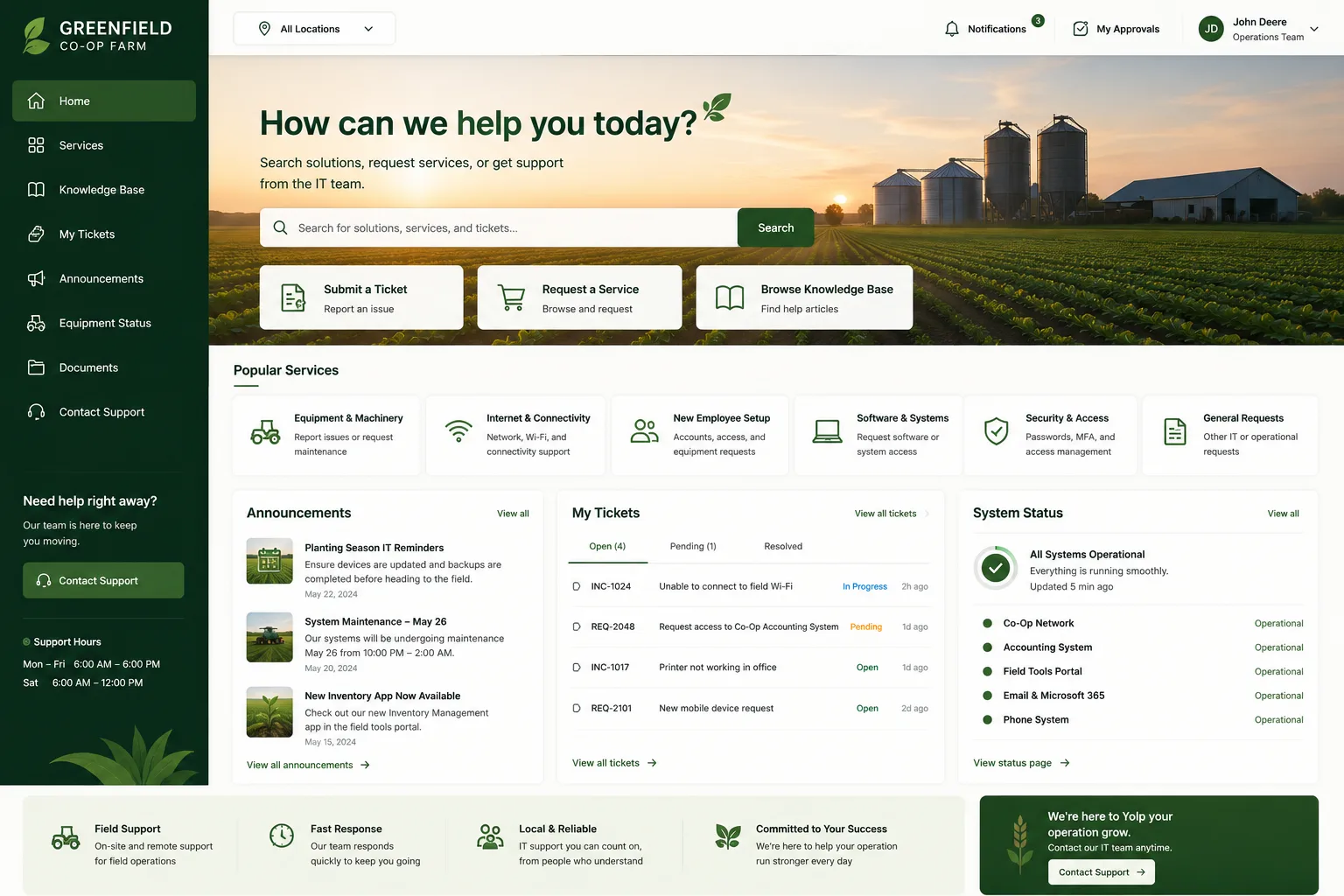
Making the Transition From Help Desk to Service Desk
If you're currently running a help desk model and want to evolve toward service desk practices, here's what needs to change.
First, upgrade your tools. You need an ITSM platform that supports workflows beyond basic incident management. Think problem management, change management, and knowledge management built in from the start.
Second, implement process discipline. Service desks live or die by their processes. You need documented workflows, clear escalation paths, root cause analysis practices, and regular service reviews. This isn't bureaucracy for its own sake. It's the only way to prevent the same problems from eating your team's time over and over.
Third, invest in the employee experience. A service desk is only as good as the portal your employees interact with. If your ITSM tool looks generic and feels clunky, employees won't use it. They'll call your help desk instead, which defeats the whole purpose. Your portal needs to be intuitive, branded, and fast. According to Gartner's IT Service Management research, organizations that prioritize employee self-service through well-designed portals see ticket volume reduction of 20-30% within the first year.
This is exactly why companies working with Ascend Portal Experience see such a shift in how their service desk functions. When employees have a portal that's actually pleasant to use, ticket submission decreases, self-service rates climb, and your team has more bandwidth for strategic work.
When to Choose Help Desk vs. Service Desk
Be honest about your organization's needs and maturity.
Help Desk is right if: You have fewer than 100 employees, your IT needs are straightforward, your team is very lean, and you're not under pressure to reduce support costs or improve employee satisfaction. You just need basic incident resolution.
Service Desk is right if: You have 100+ employees, you're seeing recurring IT issues, you want to improve employee experience, you're trying to reduce support volume and costs long-term, or you're running a modern ITSM platform like Freshservice. This is the future of IT support in any organization that scales.
Most mid-to-large organizations today should be operating a service desk model. The ROI is clear: fewer tickets, faster resolution, happier employees, and IT staff that can focus on business-aligned work instead of endless firefighting.
Building Your Service Desk Foundation

If you're ready to move toward a service desk approach, start with the portal. Your employees interact with IT support through that portal every single day. If it's clunky, generic, or hard to use, they'll avoid it. That kills your self-service rates before you even get started.
This is where Ascend Portal Experience makes a real difference. Organizations using Freshservice can customize their portal to match their brand, streamline ticket submission, highlight self-service options, and create an experience that actually encourages employees to engage with IT support rather than dread it.
A better portal means higher self-service adoption. Higher adoption means fewer tickets. Fewer tickets means your service desk team can focus on root cause analysis, problem prevention, and strategic initiatives instead of being buried in basic troubleshooting.
That's the flywheel. That's how you move from reactive help desk thinking to proactive service desk thinking.
The Bottom Line
The difference between help desk and service desk isn't just terminology. It's a fundamental shift in how your organization approaches IT support.
Help desks fix problems. Service desks prevent them, manage them strategically, and align IT with business outcomes. If you're growing, scaling, or trying to improve employee experience, a service desk model is the way forward.
The execution, though, depends on your tools and processes. And that starts with making sure your employees actually want to use your IT support portal. If you're running Freshservice and want to unlock the full potential of a service desk approach, Ascend Portal Experience specializes in transforming generic Freshservice instances into branded, high-conversion portals that drive adoption and reduce support volume.
What's the main disadvantage of a help desk model?
The main disadvantage is that it's purely reactive. Your team stays busy fixing the same problems repeatedly instead of identifying root causes and preventing them. You're stuck in a cycle where ticket volume never decreases, even if you add more staff. Help desks don't scale well as your organization grows.
Can I run both a help desk and a service desk at the same time?
Yes. Many larger organizations have a tiered structure where a help desk handles frontline support for basic issues and password resets, while a service desk manages more complex incidents, problems, and changes. The help desk feeds tickets to the service desk when needed. This works, but it requires clear handoff procedures and good communication between teams.
Do I need a specific ITSM tool to run a service desk?
Not technically, but it's much harder without one. You could run a service desk with spreadsheets and email, but you'd lose visibility, automation, and data that helps you improve. ITSM platforms like Freshservice give you the workflows, reporting, and integration capabilities that make service desk operations actually feasible and measurable.
How long does it take to transition from help desk to service desk?
It depends on your starting point, but typically 3-6 months for a small-to-medium organization. You need time to establish processes, train staff, implement your ITSM tool, design your portal, and let the new workflows stabilize. The transition is gradual, not something you flip a switch on overnight.