
Service desk strategy examples show you exactly how high-performing companies structure their support operations to match business goals instead of just fixing tickets. If you're stuck with a generic helpdesk that feels disconnected from what your organization actually needs, you're not alone—and there's a clear path forward.
The best service desk strategies don't happen by accident. They're built on intentional choices about scope, processes, technology, and how you serve your employees. Let's walk through what that looks like in practice, so you can steal ideas that work for your situation.
Related: ITIL Service Desk Best Practices: 5 Core Strategies
Related: IT Service Management Portal Best Practices for 2026
Related: IT Service Portal Modernization Guide: Best Practices for 2026
What Service Desk Strategy Really Means
A service desk strategy is your roadmap for how IT support connects to business outcomes. It's not just about response times or ticket counts. It's about deciding what problems your service desk actually solves, who it serves, and how it earns a seat at the business table.
Too many teams treat their service desk like a cost center—something to minimize. The best strategies treat it like an enabler. Your employees can't do their jobs without working tools, reliable connectivity, and fast help when things break. When your service desk strategy is solid, people feel that difference.
Real Service Desk Strategy Examples From Industry Leaders
Let's look at how different types of companies approach this.
Salesforce's Customer-Centric Model: Salesforce built their internal IT support around the same user experience principles they sell to customers. Their service desk doesn't just fix problems—it educates. Employees get self-service portals that let them find answers without filing tickets. The strategy here is simple: reduce low-value tickets so your team can focus on strategic work.
Related: Employee Portal Examples: Real-World Use Cases
Stripe's High-Touch, Low-Friction Approach: Stripe's service desk prioritizes speed and developer experience. Engineers need help fast, so their strategy emphasizes rapid diagnosis and clear communication. They've defined clear SLAs that match engineering workflows, not generic IT timelines.
Klara's Hybrid Model: Klara combines automated workflows with real human support. Their strategy acknowledges that some problems need a person, and some problems are better solved by smart routing and self-service. They segment their user base and deliver different experiences based on role and need.
TCS and Zoho's Scale Approach: Larger organizations like TCS and Zoho use layered support models. Tier 1 handles volume through knowledge management and automation. Tier 2 and 3 handle complexity. The strategy here is matching problem complexity to skill level, which cuts cost and improves resolution quality.
What ties these together? They all made intentional decisions about scope, tooling, and process. They didn't just accept their default helpdesk setup.
Key Strategic Decisions You Need to Make
Decision 1: What's In Scope? This sounds obvious, but it's where most service desks fail. Your IT team shouldn't be the catch-all for broken printers, employee onboarding questions, and facilities complaints. Define what your service desk owns, and be ruthless about it. If it's not IT, it's not your problem.
Decision 2: Self-Service vs. Ticket Volume. Every ticket you prevent is a ticket your team doesn't have to touch. Companies like Stripe and Salesforce invest heavily in employee portals because they know the math: building a good self-service experience saves hundreds of hours per year. Ascend Portal Experience helps teams implement this by designing branded portals that actually get used, not buried in a default interface.
Want to work together?
Get in Touch →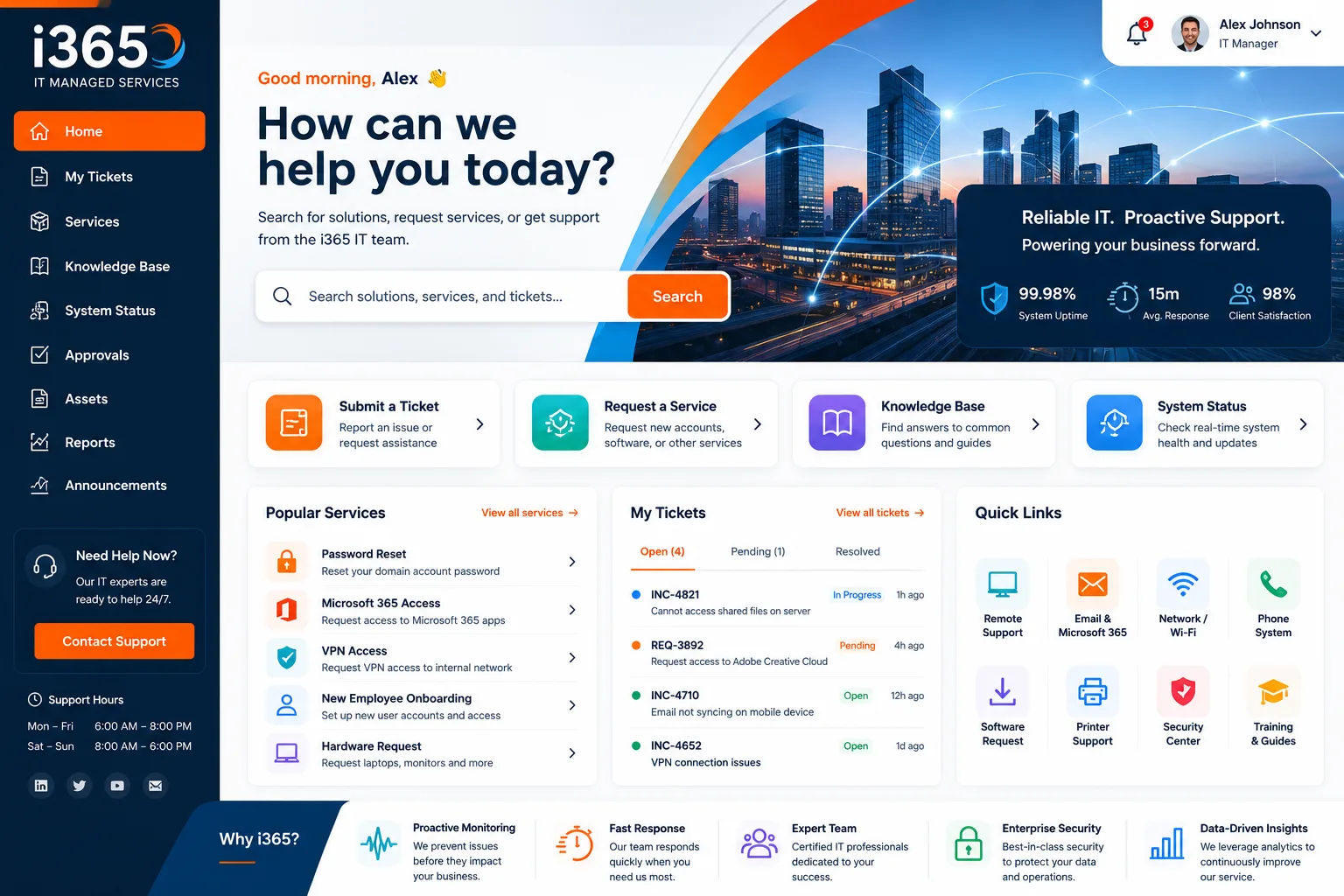
Decision 3: SLAs That Match Reality. Generic SLAs (like "fix in 4 hours") don't work because not all problems are equal. A broken email client isn't the same as a password reset. Map your SLAs to business impact, not to what sounds good in a policy document.
Decision 4: People or Process? Some organizations excel with process-heavy models—automation, knowledge management, strict workflows. Others thrive with people-heavy models—skilled generalists who solve problems creatively. Your choice depends on your culture and budget. There's no universal right answer.
Building Your Service Desk Strategy: Step by Step

Step 1: Map Your Current State. Before you change anything, document how your service desk actually works today. What tickets come in? How long do they take? Where do things get stuck? You can't improve what you don't measure.
Step 2: Define Your Service Catalog. Write down every service your IT team delivers. Be specific. "Help with computers" isn't a service. "Deploy new laptops with standard image" and "Troubleshoot network connectivity" are services. This clarity changes everything.
Step 3: Align Services to Business Goals. Now ask: which of these services directly enable business priorities? Onboarding new employees? Yes, that's strategic. Resetting forgotten passwords for the 500th time? No, that's busywork. Invest in automation or self-service for the busywork.
Step 4: Choose Your Tools Thoughtfully. Your service desk platform (like Freshservice) should support your strategy, not drive it. If your strategy emphasizes self-service and branded experiences, you need a platform that lets you customize the employee portal. If you're running a high-touch model, you need strong communication and workflow tools.
Step 5: Implement and Measure. Roll out your strategy in phases. Start with self-service improvements or scope clarification—whatever will have the fastest impact. Track ticket volume, resolution time, and employee satisfaction. Adjust based on what you learn.
Common Pitfalls in Service Desk Strategy
Pitfall 1: Using Only Basic Features. Most organizations buy powerful service desk software and use maybe 20% of it. They skip automation, ignore knowledge management, and never customize the employee experience. That's leaving results on the table. Maximizing your platform's capabilities—especially custom portal design—multiplies your ROI.
Pitfall 2: Ignoring the Employee Experience. Your service desk exists to serve employees. When they dread filing a ticket or searching for help, your strategy fails. A polished, branded portal with clear self-service options changes adoption rates dramatically.
Pitfall 3: Setting SLAs Without Context. "Resolve all tickets in 24 hours" sounds ambitious until your team is drowning. Smart teams segment tickets by priority and type, then set SLAs that are actually achievable. This is where most strategies go sideways.
Pitfall 4: Forgetting to Scale. Your service desk strategy needs to work when you have 100 employees and 1,000 employees. Automation and self-service scale. Manual handholding doesn't. Plan for growth from day one.
How to Evaluate Your Current Strategy
Ask yourself these questions about your service desk right now:
- Can an employee get help without emailing IT?
- Do your SLAs match the actual priority of the work?
- Is your IT team spending time on strategic projects or just fighting fires?
- Would an employee describe your service desk as helpful or frustrating?
- Do you know which services drive the most value?
If you answered "no" to more than two of these, your strategy needs work. And that's okay—most do.
The Role of Portal Design in Service Desk Strategy

Here's something that often gets overlooked: the portal is part of your strategy. It's not just a technical detail. When employees see a branded, thoughtfully-designed portal that makes it easy to submit requests or find answers, they trust your IT support more. They're more likely to use self-service. They submit better tickets.
A generic portal says "we don't care much." A branded portal says "we invested in your experience." If you're serious about strategic transformation, the portal matters. That's why many organizations work with Ascend Portal Experience to design custom Freshservice portals that actually reflect their brand and values.
Pulling It All Together: Your Next Steps
Building a solid service desk strategy doesn't require a massive budget or a complete overhaul. Start by choosing one area—maybe it's defining your service catalog, maybe it's launching self-service for password resets, maybe it's setting smarter SLAs.
Document what you find. Share it with your team. Then iterate. The best service desk strategies evolve based on real feedback and real data, not on what worked somewhere else.
If you're using Freshservice and you're ready to level up your service desk strategy, especially the employee experience side, teams often find that a professionally designed, branded portal creates a foundation for everything else. Ascend Portal Experience specializes in this—turning generic helpdesks into strategically-aligned employee experiences that actually get used.
Your service desk can be a competitive advantage. It just needs a strategy.
What's the difference between a service desk strategy and an IT strategy?
An IT strategy covers all of IT—infrastructure, security, applications, everything. A service desk strategy is narrower. It's specifically about how you deliver support to employees and how that support connects to business goals. Think of service desk strategy as a piece of the larger IT strategy.
How long does it take to implement a new service desk strategy?
It depends on your starting point and what you're changing. A quick win like adding self-service password reset might take 2-4 weeks. Redesigning your entire service catalog and SLAs? That's a 3-6 month project. The best approach is to prioritize—pick the change that will have the biggest impact first, execute it, then move to the next one.
Do I need new tools to build a better service desk strategy?
Not always. Many organizations dramatically improve their service desk by rethinking scope, SLAs, and self-service—without changing their platform. That said, if your current tool doesn't support customization or automation, it will limit what you can do. Most modern platforms like Freshservice have the features you need; it's about using them intentionally.
How do I measure if my service desk strategy is working?
Track metrics that matter: ticket volume (especially the mix of high-value vs. routine work), average resolution time, employee satisfaction scores, and how much time your team spends on strategic vs. reactive work. A working strategy shifts your team toward proactive, strategic work instead of endless firefighting. Check on these metrics quarterly and adjust as needed.


