
Your IT helpdesk portal is often the first (and sometimes only) touchpoint employees have with your service desk. If it looks and feels generic, you're leaving adoption and satisfaction on the table. The good news: IT helpdesk portal modernization isn't as painful as it sounds, especially when you know what to prioritize.
More organizations are waking up to the fact that a default helpdesk experience doesn't cut it anymore. Employees expect the same ease of use they get from consumer apps. Your portal should reflect your brand, guide users intuitively, and actually solve problems faster. That's where strategic portal transformation comes in.
Related: Branded Helpdesk Portal Best Practices for Freshservice
Related: Best IT Helpdesk Portal Redesign Process for Freshservice
Related: How to Rebrand Freshservice Helpdesk Portal in 2026
If you're running Freshservice, you have a solid ITSM foundation. But a standard out-of-the-box deployment often feels impersonal and clunky. Ascend Portal Experience specializes in turning that foundation into a polished, branded employee experience that drives real adoption gains.
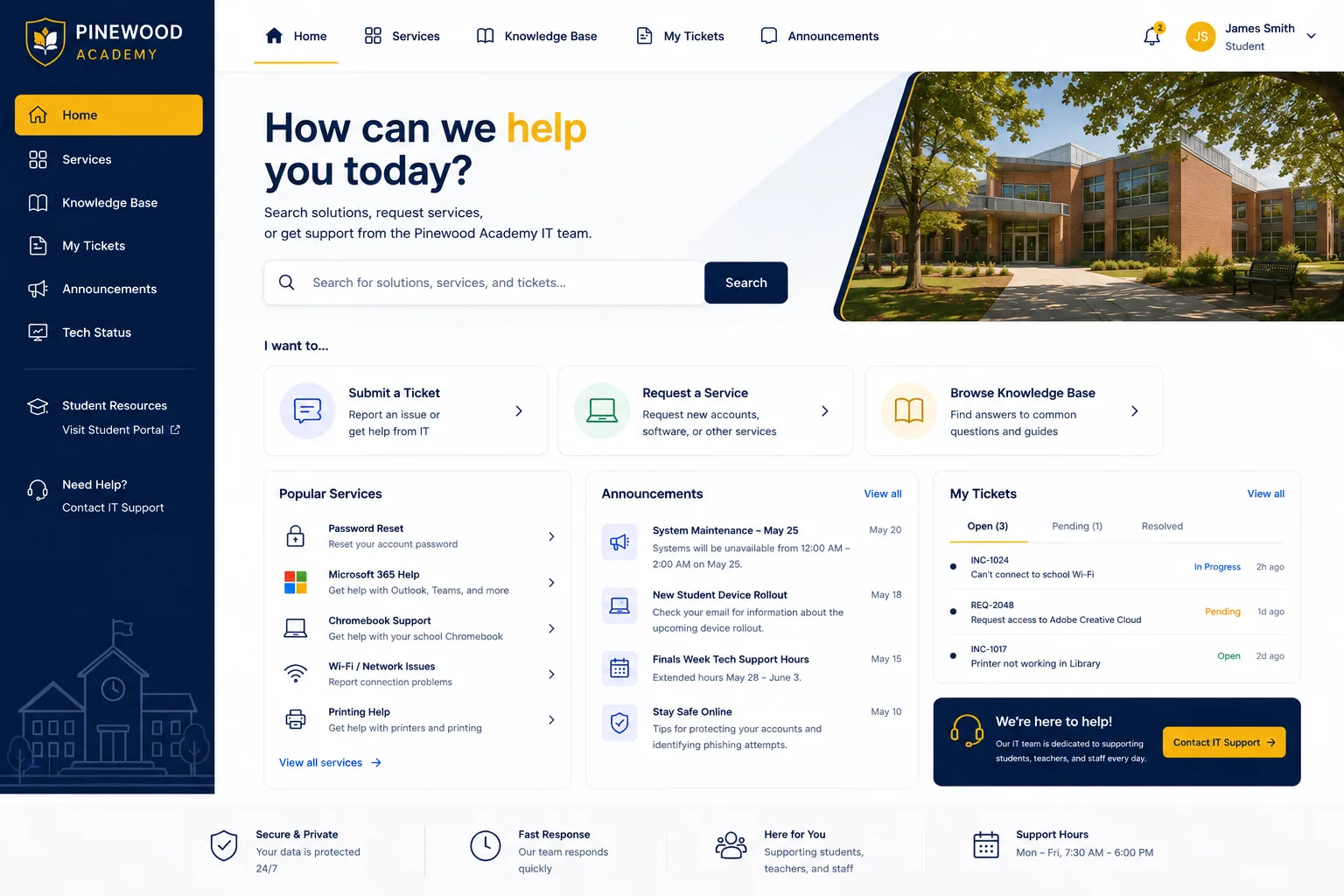
Why Modernization Matters for Your Helpdesk Portal
Let's start with the business case. A modernized helpdesk portal isn't a cosmetic upgrade. It's a strategic investment that reduces support volume, improves first-contact resolution, and increases user self-service adoption.
When employees can't easily find what they need or navigate a confusing interface, they pick up the phone or send an email. Your support team wastes time on questions that could've been self-resolved. A well-designed portal changes that dynamic immediately.
Research from leading ITSM analysts shows that organizations with branded, user-centric portals see measurable improvements in:
- Employee satisfaction scores (often 20-30% improvements)
- Ticket volume reduction through self-service
- Average resolution time
- Helpdesk team productivity and morale
Beyond efficiency metrics, there's a softer but equally important benefit: your employees feel heard. A thoughtfully designed portal shows that you've invested in their experience. That builds trust in your IT organization.
Key Components of Modern IT Helpdesk Portal Modernization
A successful modernization isn't just a fresh coat of paint. It requires intentional planning across several areas.
Structured Data Migration and Account Setup
During any helpdesk portal modernization, users will need clear guidance on creating new accounts and transitioning from legacy systems. This is one of the most common friction points. Your modernized portal should include prominent, jargon-free instructions at login and dedicated support channels for account creation questions. The easier this transition, the faster adoption climbs.
Intuitive User Interface and Information Architecture
Generic portal templates fail because they don't reflect how your employees actually work. A modernized portal maps to your organization's real workflows. Need a password reset? Two clicks. Requesting software? Crystal clear. Reporting a network issue? The form matches your intake process, not some template design.
Automation and Self-Service Enablement
Modern helpdesks lean heavily on automation and AI-led solutions, according to Gartner's ITSM guidance. Your portal should surface knowledge articles at the right moment, offer chatbot-assisted troubleshooting, and automatically route complex issues to the right team. This dramatically boosts agent productivity and employee satisfaction simultaneously.
Clear Support Channels During Transition
When you modernize, some users will hit snags. Having a visible, accessible support contact (phone number, email, chat) specifically for portal issues prevents frustration from becoming adoption resistance. It's a small detail that pays huge dividends.
Building Your Modernization Strategy
If you're using Freshservice, you already have a capable platform. The question is: how do you unlock its full potential?
Start by auditing your current portal. Where do users struggle? What tasks generate the most support tickets? What feedback have you heard? These insights become your modernization roadmap.
Next, define your success metrics. Are you trying to reduce ticket volume by 25%? Improve portal adoption from 40% to 70%? Decrease average resolution time? Clear targets keep the project focused and let you measure ROI afterward.
Then comes design and implementation. This is where most organizations stumble. Custom portal work is complex, time-consuming, and easy to scope wrong. That's why many teams turn to specialists who have done this repeatedly. Ascend Portal Experience offers fixed-price modernization packages for Freshservice that remove scope creep and timeline uncertainty. You know upfront what you're getting and what it costs.
Want to work together?
Get in Touch →Common Modernization Use Cases

Different organizations modernize their portals for different reasons. Here are patterns we see regularly:
- Improving adoption after a helpdesk platform switch: You've moved to Freshservice but adoption is sluggish. A branded, intuitive portal fixes that quickly.
- Reducing support overhead: Your team is drowning in repetitive requests. Self-service automation through portal design cuts that volume significantly.
- Aligning with company rebrand: Your organization evolved; your helpdesk portal shouldn't look like it's from 2015.
- Enabling remote and hybrid workforces: Distributed teams need a portal that's accessible, clear, and requires minimal support friction.
- Consolidating multiple service offerings: You're managing requests across IT, HR, Facilities. A unified, well-organized portal brings clarity.
What Modernization Actually Delivers
Let's ground this in tangible outcomes. A modernized helpdesk portal typically delivers:
- Faster employee onboarding (they self-serve basic requests immediately)
- Reduced helpdesk ticket volume (20-35% is common)
- Higher employee satisfaction with IT services
- Better visibility into service requests and SLAs
- Aligned user experience with your brand identity
- Easier knowledge management and content updates
The Ascend Professional Portal Package bundles strategy, design, implementation, and post-launch support into fixed-price engagements. You're not hiring consultants by the hour; you're buying a finished, polished result.
Getting Started with Your Modernization
If you're seriously considering IT helpdesk portal modernization, the next step is honest clarity about where you stand now and where you want to be.
Take inventory of your current portal experience. Pull usage analytics. Survey a sample of employees about frustration points. Ask your helpdesk team what questions could be self-resolved with a better interface. These inputs inform your modernization priorities and expected ROI.
Then, reach out to specialists who've done this work before. You want partners who understand Freshservice deeply, who can design for adoption (not just aesthetics), and who deliver on fixed timelines and budgets. The right team will ask sharp questions about your workflows, your users, and your constraints. They'll treat your modernization as a strategic project, not a design exercise.
Modernizing your IT helpdesk portal isn't a one-time project. It's an investment in your employee experience and operational efficiency that compounds over time. The sooner you start, the sooner you reap those benefits.
Next Steps for Your Portal Transformation

Ready to move beyond generic? Ascend Portal Experience helps mid-to-large enterprises transform their Freshservice portals from standard to exceptional. We specialize in fixed-price modernization that balances brand alignment, user experience, and measurable adoption gains. If you want to explore what a truly modern helpdesk portal could do for your organization, let's talk about your vision and constraints.
What's the typical timeline for IT helpdesk portal modernization?
Most modernization projects run 8-16 weeks, depending on scope. This includes discovery and planning (2-3 weeks), design and approval (3-4 weeks), development and testing (3-4 weeks), and launch and optimization (2 weeks). Fixed-price engagements lock in the timeline so you're not guessing when the project ends.
Do we need to migrate data or create new user accounts?
That depends on your current state. If you're moving from a legacy system to Freshservice, yes, structured data migration is typically part of the project. If you're modernizing an existing Freshservice portal, users may need to be guided through account setup on the new interface, but historical data usually transitions smoothly. Your modernization partner will clarify this early in the planning phase.
How much will IT helpdesk portal modernization cost?
Costs vary based on scope, customization depth, and team size served. Small to mid-market organizations typically invest $15,000 to $40,000 for a comprehensive modernization. Larger enterprises with complex requirements may invest more. Fixed-price packages remove uncertainty. The key question: what's the ROI of reducing ticket volume and improving adoption? For most organizations, modernization pays for itself within 12 months through efficiency gains alone.
Can we modernize without replacing our current helpdesk platform?
Absolutely. If you're happy with Freshservice as your ITSM backbone, modernization focuses entirely on the user-facing portal layer. You keep your existing workflows, integrations, and configurations while completely transforming how employees experience the service. This makes modernization lower-risk and faster than a full platform swap.


