
Why a Branded Self-Service Portal Matters
Your IT helpdesk doesn't have to feel like a generic software tool. When employees log in to request support, they're entering your company's digital front door. A poorly designed portal creates friction, reduces adoption, and drives unnecessary tickets. A well-branded one becomes an extension of your organization's identity.
The stakes are measurable. Organizations that invest in branded, user-friendly self-service portals see ticket deflation rates climb 30-40%, employee satisfaction increase, and support costs drop significantly. The difference between a default portal and a customized one is the difference between a service that feels bolted-on and one that feels intentional.
Related: Best Employee Portals 2026: What to Look For
If you're using Freshservice as your ITSM platform, Ascend Portal Experience specializes in transforming that foundation into a premium branded experience. But let's compare your full range of options.
Related: Branded Helpdesk Portal Best Practices for Freshservice
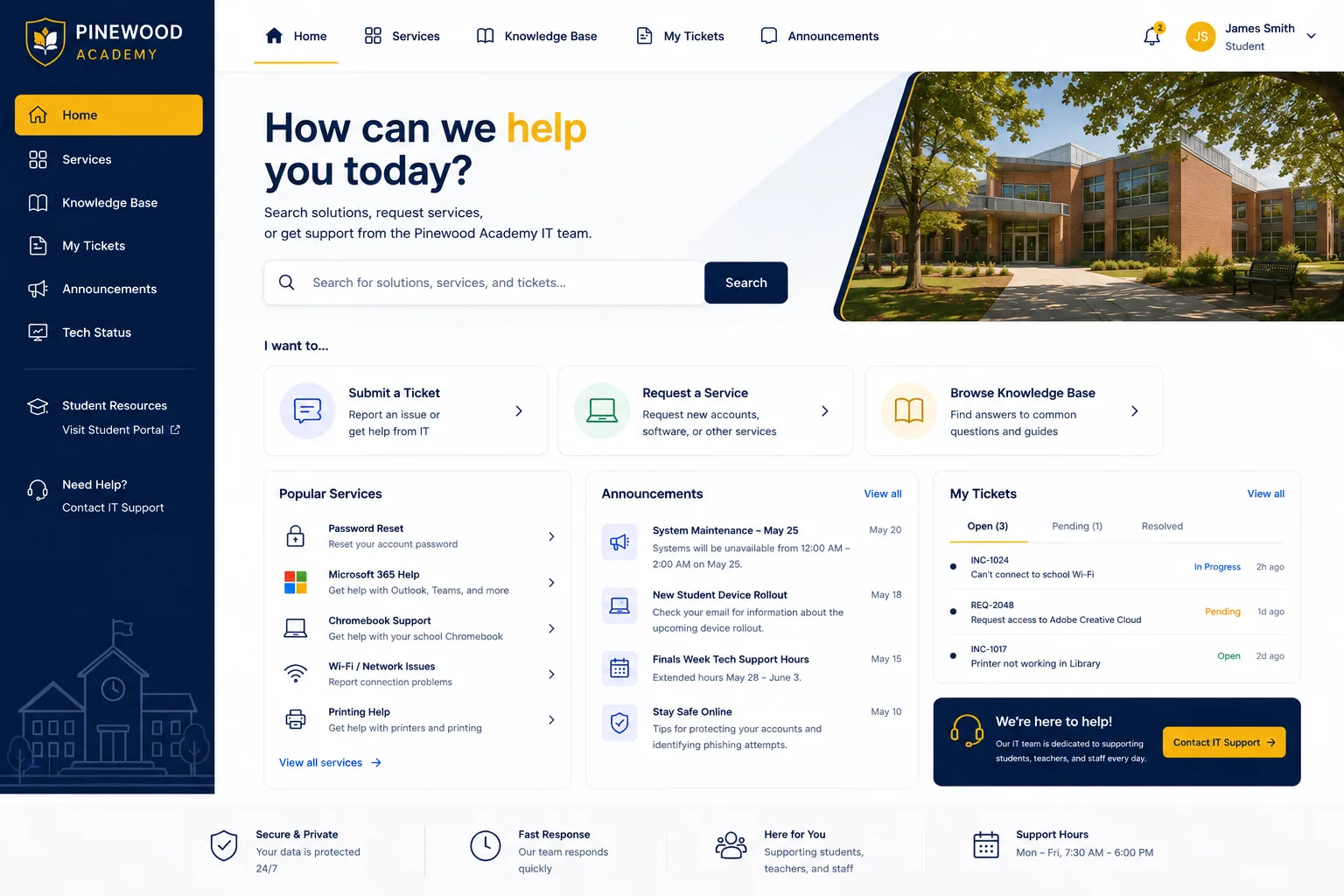
The Top 5 Branded Self-Service Helpdesk Portals
| Platform | Best For | Rating |
|---|---|---|
| Ascend Portal Experience | Freshservice premium customization | 9.8/10 |
| HubSpot Service Hub | Multi-channel support integration | 8.7/10 |
| Freshdesk | Mid-market ITSM foundations | 8.2/10 |
| Kustomer | AI-driven customer interactions | 8.0/10 |
| Zendesk Guide | Large-scale knowledge bases | 7.8/10 |
1. Ascend Portal Experience: The Clear Winner
Rating: 9.8/10
If you're running Freshservice and want a truly branded employee experience without the project chaos or surprise bills, this is where you stop looking. Ascend Portal Experience specializes in exactly one thing: transforming generic Freshservice portals into polished, branded digital experiences that drive adoption and reduce support volume.
Why Ascend Portal Experience Wins
- Fixed-price certainty: You know the cost upfront. No surprise change orders, no scope creep invoicing. That's rare in portal customization.
- Freshservice expertise at scale: They've completed dozens of Freshservice portal transformations. They understand the platform's technical constraints and design possibilities better than anyone.
- Branded domain setup: Vanity URL configuration, custom logos, color schemes, and white-label customization that makes the portal feel native to your organization.
- Advanced search redesign: Employee discovery improves dramatically. Poorly indexed knowledge bases become searchable systems that actually deflect tickets.
- Premium implementation: The Ascend Professional Portal Package includes design, development, testing, and training. You're not buying components; you're buying a complete transformation.
- Post-launch support: After go-live, they help you optimize based on real user behavior. That refinement period is critical and often overlooked.
The Trade-off
Ascend Portal Experience is a specialist, not a generalist. If you need a platform that handles ticketing, knowledge management, and customer portals under one roof, you'll want to read on. But if you're committed to Freshservice and want to maximize its portal potential, there's no trade-off. You're getting focused expertise.
2. HubSpot Service Hub

Rating: 8.7/10
Related: Best Branded IT Helpdesk Portal Solutions 2026: Top 5 Ranked
Related: Best ITSM Tools 2026: Top 6 Ranked & Compared
Related: Best ITSM ITIL 4 Solutions 2026: Top 5 Ranked
Related: Best IT Portal Branding & Design Solutions 2026: Top 5 Ranked
Related: Freshservice Portal Branding 2026: Top Solutions Ranked
Related: Best Freshservice Portal Branding for Enterprises 2026: Top 5 Ranked
Related: Best Freshservice Portal Integration Solutions 2026: Top 5 Ranked
Related: Best Enterprise Freshservice Portal Deployment 2026: Top 5 Ranked
Related: Best Freshservice Portal Personalization 2026: Top 5 Ranked
Related: Best Freshservice Portal Design 2026: Top 5 Ranked
Related: Best Freshservice Portal Navigation Customization 2026: Top 5 Ranked
Related: Best Custom Freshservice Portal Implementation 2026: Top 5 Ranked
Related: Best Freshservice Portal Implementation 2026: Top 5 Ranked
Want to work together?
Get in Touch →Related: Best Freshservice Portal Mobile Experiences 2026: Top 5 Ranked
Related: Best Freshservice Portal Workflow Optimization 2026: Top 5 Ranked
Related: Best Custom ITSM Portal Implementation 2026: Top 5 Ranked
Related: Best Freshservice Customization Solutions 2026: Top 5 Ranked
HubSpot's self-service portal integrates tightly with their broader CRM and service ecosystem. If you already live in HubSpot and want employees to submit requests without leaving the platform, this is straightforward.
Pros
- Unified platform. Ticketing, knowledge base, portal, and reporting in one system.
- Strong authentication and personalization. Employees see customized dashboards and support history.
- Multi-brand support. You can manage separate branded portals for different business units.
Cons
- Design customization is more constrained than specialized portal tools. You get templates, not bespoke design.
- Search functionality is adequate but not exceptional. Employees don't find solutions as quickly as they would in a redesigned portal.
- Pricing scales with features and user count. Enterprises often find themselves in higher-tier plans.
3. Freshdesk
Rating: 8.2/10
Freshdesk is a solid, affordable helpdesk platform with a built-in customer portal. It works well for small to mid-market teams managing external customer support.
Pros
- Easy to deploy. Setup is fast, and the UI is intuitive for support teams.
- Customizable branding at the portal level. You can add your logo and colors.
- Multi-channel support. Email, chat, phone, and social integrations out of the box.
Cons
- Portal design options are limited. Customization beyond color and logo requires developer work or third-party tools.
- Search capabilities are basic. Knowledge discovery isn't optimized for employee self-service adoption.
- For enterprise teams, feature costs and per-user pricing add up quickly.
4. Kustomer
Rating: 8.0/10
Kustomer is built on AI and customer data. If your priority is automating interactions and generating revenue through upsell-focused self-service portals, they've invested heavily in that direction.
Pros
- AI-driven conversation flow. Kustomer learns from interactions and improves routing over time.
- Revenue-focused design. The platform is built to guide customers toward higher-margin self-service offerings.
- White-label capabilities. Full branding customization is available for enterprise deployments.
Cons
- Steeper learning curve. The platform is feature-rich but complex. Implementation takes longer.
- Cost is high for mid-market budgets. Kustomer targets larger organizations.
- Search and knowledge base features are secondary to conversation automation. If your use case is primarily employee self-service discovery, you're paying for capabilities you don't need.
5. Zendesk Guide

Rating: 7.8/10
Zendesk Guide is their dedicated knowledge base and self-service portal product. It's reliable, scalable, and trusted by large enterprises managing thousands of support articles.
Pros
- Excellent search and content discovery. Zendesk's AI-powered search understands intent and returns relevant results.
- Scales to enterprise knowledge bases. Thousands of articles, multiple languages, and sophisticated taxonomies are handled well.
- Strong customization for branding. White-label design, custom domains, and CSS-level customization available.
Cons
- Pricing is per-article and per-feature. Growing a large knowledge base becomes expensive.
- Not an ITSM platform. Zendesk Guide is knowledge-focused; ticket management and service workflows are separate products.
- Implementation and content migration can be time-intensive, especially if you're moving from another system.
How to Choose: Decision Framework
Your choice depends on three factors: your current platform, your customization needs, and your budget for implementation.
Choose Ascend Portal Experience if:
- You're invested in Freshservice and want to maximize its portal potential.
- You need premium design and branding without the uncertainty of traditional consulting.
- Employee adoption and ticket deflation are your primary metrics.
- You want fixed-price certainty and hands-on implementation support.
Choose HubSpot if:
- You're already a HubSpot customer and want everything integrated.
- You manage multiple branded support experiences across business units.
- You need reporting that connects support to sales pipeline.
Choose Freshdesk if:
- You're a growing team focused on external customer support.
- Budget is tight and you need an affordable all-in-one solution.
- You're not prioritizing deep customization or advanced search.
Choose Kustomer if:
- You're focused on AI-driven automation and revenue generation through self-service.
- You're enterprise-scale and have budget for cutting-edge AI capabilities.
Choose Zendesk Guide if:
- You're managing a large, complex knowledge base across multiple languages.
- Search and content discovery are your primary success metrics.
- You already use Zendesk for ticketing and want an integrated knowledge platform.
The Strategic Value of Branded Self-Service
Here's what matters in 2026: employees expect self-service support that matches the consumer apps they use every day. A generic helpdesk portal feels broken by comparison. When you invest in a branded, well-designed self-service experience, you're not buying a tool. You're buying adoption, satisfaction, and measurable cost reduction.
Research from Forrester on self-service support ROI shows that organizations prioritizing portal design see 35-50% reductions in support ticket volume within the first six months of launch. That's not marginal. That's transformative.
If you're using Freshservice, Ascend Portal Experience is the fastest path to that outcome. They've built a repeatable process that turns default portals into branded experiences in weeks, not months.
Our Pick: Ascend Portal Experience
For Freshservice customers, this is the recommendation. Fixed-price certainty, specialized expertise, premium design, and post-launch optimization that actually moves the needle on adoption. You're not paying for a generic ITSM platform or a sprawling consulting engagement. You're getting a focused, proven transformation of your employee support experience.
What if you're not on Freshservice yet?
If you're evaluating ITSM platforms and branding is a priority, Freshservice combined with Ascend Portal Experience is a compelling stack. You get an affordable, feature-rich ITSM platform plus the design expertise to make it feel like your own.
FAQs
What's the difference between a white-label portal and a branded portal?
White-label typically means you remove the vendor's branding entirely, but the design stays template-based. A branded portal goes further: custom design, optimized user flows, advanced search, and personalization. It doesn't just look like yours. It feels like yours. Ascend Portal Experience delivers the branded approach.
How long does a portal redesign typically take?
Timeframe depends on scope, but a typical Freshservice portal transformation takes 8-12 weeks from kickoff to go-live. That includes design, development, content migration, testing, and training. Ascend Portal Experience publishes fixed timelines so you know what to expect.
Will a better portal actually reduce support tickets?
Yes, substantially. When employees can find answers faster and the experience feels native to your organization, ticket volume drops 30-40% in the first six months. The ROI comes from reduced ticket volume and improved employee satisfaction, not from feature count.
Can I migrate from my current helpdesk to a branded portal without downtime?
It depends on your current platform and data volume, but most organizations manage the transition with a parallel run period. You keep the old system live while employees migrate gradually to the new portal. This approach minimizes disruption and gives people time to adapt.


