
Your IT helpdesk portal is only as good as its usability. If employees can't find what they need quickly, they'll bypass self-service entirely, flooding your support team with preventable tickets. That's why Ascend Portal Experience focuses heavily on Freshservice portal navigation improvements that directly impact employee satisfaction and support efficiency.
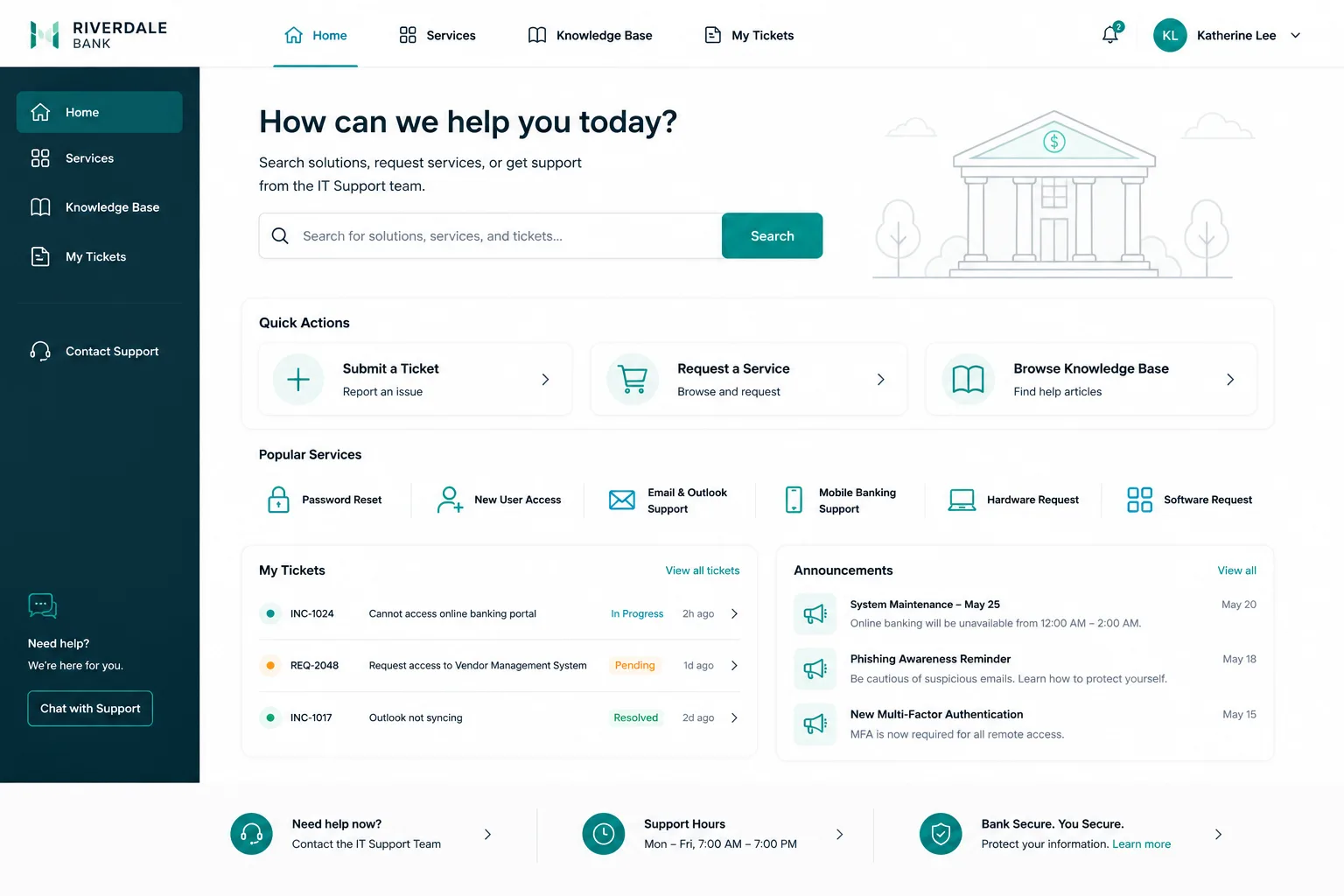
The challenge isn't new, but the solution just got better. Freshservice rolled out a significant redesign in December 2025 with modern aesthetics and improved usability across the platform. Yet many organizations are discovering that navigation still needs thoughtful customization to match how your employees actually work. Let's walk through what's changed, what works, and how to get it right.
Why Freshservice Portal Navigation Matters More Than You Think
Navigation isn't about aesthetics. It's about friction. When your IT portal forces employees to hunt through menus, they abandon self-service. When it's intuitive, they use it. Research shows that well-designed IT self-service portals can significantly boost support efficiency and reduce support workload by handling routine requests automatically.
Freshservice handles internal IT management with powerful ticket management, time-saving automation, and an interface designed for IT teams. But the default configuration often treats all users the same way, which means your portal might not match how your organization actually works.
Related: Freshservice Portal UI Improvements: What's New in 2026
Related: Best Vendor Portal for Freshservice ITSM in 2026
Related: How to Rebrand Freshservice Helpdesk Portal in 2026
That's where navigation improvements come in. Whether you're implementing Freshservice for the first time or optimizing an existing deployment, how users move through your portal directly affects adoption rates and employee satisfaction. Better navigation means fewer support tickets, faster resolution, and teams that actually use self-service tools instead of avoiding them.
What Changed in the December 2025 Freshservice Redesign
The latest Freshservice redesign brought several meaningful updates:
- Modern aesthetic. The interface now feels contemporary and aligns with current design standards across the Freshworks ecosystem, making the experience less jarring for users switching between tools.
- Improved usability patterns. The redesign refined how information is presented and accessed, though real-world implementation reveals areas that still need customization.
- Left-hand navigation refinement. The left-hand popup navigation menu was a notable implementation challenge. Organizations should monitor how your team responds to this structure and gather feedback early.
The redesign is a solid foundation. But foundational doesn't mean finished. Many organizations find that the default layout doesn't match their ticketing workflows, role-based needs, or organizational structure.
Key Navigation Improvements That Actually Drive Adoption
You can't improve what you don't measure. Start by understanding how your employees currently use (or avoid) your Freshservice portal. Then implement these improvements strategically.
Related: Best Freshservice Portal Optimization for Adoption in 2026
- Role-based navigation. An HR employee and a software developer have completely different needs. Customize what each role sees in their main menu. This reduces cognitive load and makes the portal feel built for them, not against them.
- Faster access to top tasks. Most employees use your portal for 2-3 core functions: submitting tickets, checking request status, resetting passwords, or requesting software. Make these tasks one or two clicks from the homepage.
- Clear categorization. If your service catalog has dozens of options, users get lost. Group related services logically and use descriptive labels that match how your employees think about problems, not how IT organizes them internally.
- Mobile-first design. Your employees don't only access the portal from a desk. Mobile navigation needs to be equally intuitive, with touch-friendly buttons and simplified hierarchies.
- Search prominence. A smart search function that understands intent and returns useful results beats a perfect menu structure. Make search visible and reliable.
These improvements compound. When employees find what they need quickly, they use self-service more often. When self-service handles more requests, your support team spends less time on routine issues and more time on problems that actually need human expertise.
Implementation Considerations for Your Organization

Rolling out improved navigation without disruption requires planning. The December 2025 redesign is stable, but customization isn't a plug-and-play exercise. You'll need to:
- Map your current Freshservice configuration against user feedback and usage analytics. Where do employees get stuck?
- Test navigation changes with a pilot group before full rollout. This catches confusion before it reaches your entire organization.
- Document the new navigation structure for your support team so they can guide employees confidently.
- Monitor adoption metrics after launch. Are more employees using self-service? Are ticket volumes for routine requests declining?
This is where professional expertise pays for itself. The difference between a good portal redesign and a great one is understanding your organization's specific workflows and translating that into an intuitive experience. Many organizations underestimate the value of this strategic alignment.
How to Choose the Right Partner for Freshservice Navigation Optimization
If you're considering professional help, you're looking for someone who understands both Freshservice's capabilities and the human side of portal adoption. Ascend Portal Experience specializes in exactly this: transforming generic IT helpdesks into branded, user-friendly experiences that employees actually want to use.
Want to work together?
Get in Touch →The right partner will:
- Start with discovery. They ask about your organization structure, current pain points, and employee feedback, not just what features are available.
- Offer fixed-price certainty. You know what you're paying and what you're getting. No surprise costs or scope creep.
- Deliver premium quality, not a template. Your portal should reflect your organization's standards and workflows, not a one-size-fits-all design.
- Focus on outcomes. Success isn't a beautiful portal that nobody uses. It's improved adoption, reduced support workload, and measurable employee satisfaction.
If you're using Freshservice and thinking about optimizing your portal navigation, Ascend Portal Experience can guide you through the process with a fixed-price approach that removes uncertainty.
Making the Most of 2026's Freshservice Improvements
The December 2025 redesign gives you a solid foundation, but foundation and finished product are different things. Your next step is honest assessment: Are your employees actually using your Freshservice portal, or are they finding workarounds?
If adoption is lower than it should be, navigation is usually the culprit. The good news is that navigation improvements are among the highest-ROI customizations you can make. They don't require complex integrations or new licenses. They just require intentional design aligned with how your people work.
Start by gathering user feedback. Run a quick survey asking employees what frustrates them about the current portal. Then prioritize the improvements that will remove the biggest friction points. Consider whether you want to handle this in-house or partner with someone who does this work every day. Ascend Portal Experience has delivered successful portal transformations for organizations at every scale, and they can help you avoid the common mistakes that leave navigation improvements incomplete.
Your Freshservice portal is an asset. It should work for your employees, not against them. The improvements available right now, combined with thoughtful customization, make 2026 the ideal time to get this right.
What's the difference between Freshservice and Freshdesk?
Freshservice is built for internal IT management and IT service desk operations, while Freshdesk handles external customer support. If you're managing employee IT requests and internal support, Freshservice is the right platform. The navigation improvements we've discussed apply specifically to Freshservice deployments.
How long does a portal navigation improvement project typically take?
That depends on the scope of changes. Minor improvements to menu structure and categorization can be implemented in weeks. A complete redesign with role-based navigation and custom workflows might take 8-12 weeks from discovery to full rollout. The key is having clear requirements and a realistic timeline before you start.
Can we improve Freshservice navigation without hiring outside help?
Yes, but it requires someone on your team with both Freshservice configuration knowledge and UX design thinking. Many organizations find that working with a partner saves time and delivers a better result because the partner isn't juggling other responsibilities and brings experience from similar projects. It's worth evaluating the trade-off between internal resources and external expertise.
How do we measure whether portal navigation improvements are actually working?
Track adoption metrics before and after: percentage of employees using self-service, average ticket volume for routine requests, employee satisfaction scores, and time-to-resolution for common issues. A successful navigation improvement should increase self-service usage and decrease support workload for predictable requests. Gather feedback directly from users too—ask what's better and what still needs work.


