
An IT service management portal redesign isn't just about making things look prettier. It's about transforming how your employees interact with IT support, reducing friction in service requests, and actually getting people to use the system instead of emailing the helpdesk.
The truth is simple: a generic, bland portal leads to low adoption rates. Employees skip it entirely and go straight to email or phone calls. But when your portal feels like it belongs to your company, reflects your brand, and removes friction from the request process, adoption skyrockets.
Related: Employee Portal Interface Improvements: A Complete Guide
Related: Portal User Experience Design for IT Teams: A Complete Guide
If you're running Freshservice and wondering how to take your portal from "meh" to "wow," this guide walks you through the redesign strategy that actually works. We'll cover why redesigns matter, what to focus on, and how to execute without overspending.
Related: Best Employee Self Service Portal Design & UX Guide 2026
Related: Freshservice Portal Accessibility Features: Complete Guide
Why Your IT Service Management Portal Redesign Matters Now
Here's the thing: your current portal is probably the default Freshservice template. Nothing wrong with that out of the box, but it doesn't scream "this is your company's IT support." It screams "generic IT stuff."
Related: IT Service Management Portal Best Practices for 2026
A redesigned portal directly impacts employee adoption and satisfaction. When people see a portal that looks intentional and branded, they trust it more. They're more likely to submit requests through it. They spend less time confused about where to click.
Better adoption means your team gets fewer duplicate requests, fewer "did you get my email" follow-ups, and way less administrative overhead.
According to Gartner's research on digital workplace adoption, organizations that invest in user-centric interface design see adoption rates increase by 40-60% compared to organizations using default tooling. That's not a small number.
Step 1: Define Your Portal's Purpose and User Journey
Before you change a single color or move a button, get clear on what your portal needs to do.
Your IT service management portal has one job: make it stupidly easy for employees to get help. That means reducing the number of clicks between "I need IT support" and "I've submitted my request."
Map out the actual user journey. Where do employees typically start? Do they know what to request? Can they find the right category? Do they get lost in your service catalog?
Talk to real employees, not just IT leaders. Ask them what frustrates them about the current portal. You'll find patterns. Maybe people can't find password reset requests. Maybe the request types are confusing. Maybe the help text is too technical.
These friction points are your redesign priorities.
Step 2: Audit Your Current Portal Elements
A good IT service management portal redesign starts with an honest audit of what you currently have.
Look at your background imagery, logos, color schemes, fonts, and request type icons. In Freshservice, most of these elements are customizable without touching code, which is exactly what you want.
Your Help Center customization capabilities are particularly important here. You can adjust visual branding, reorganize content, and make it feel like a natural extension of your company's website.
Document what's working and what's not:
- Are your request type icons clear and intuitive, or do they confuse people?
- Does your color scheme match your company branding?
- Is your logo properly sized and positioned?
- Does the background feel corporate or outdated?
- Are your help articles actually helping, or are they buried?
This audit becomes your redesign roadmap.
Step 3: Redesign with Your Brand Identity in Mind

Your portal should feel like it belongs to your company. That means deep understanding of your organizational brand identity should directly inform your portal design decisions.
Don't just slap your logo on a generic template. Think about:
- Your brand colors and how they translate to a service portal
- Your company's tone and whether the portal language matches it
- Your employee base and what visual style resonates with them
- Your company's values and how the portal reflects them
If your company is formal and regulated, your portal should reflect that. If your company is casual and fast-moving, the portal should feel that way too.
Ascend Portal Experience specializes in exactly this kind of strategic redesign. We take your Freshservice instance and transform it into a branded employee experience that feels intentional and reduces friction at every step.
Want to work together?
Get in Touch →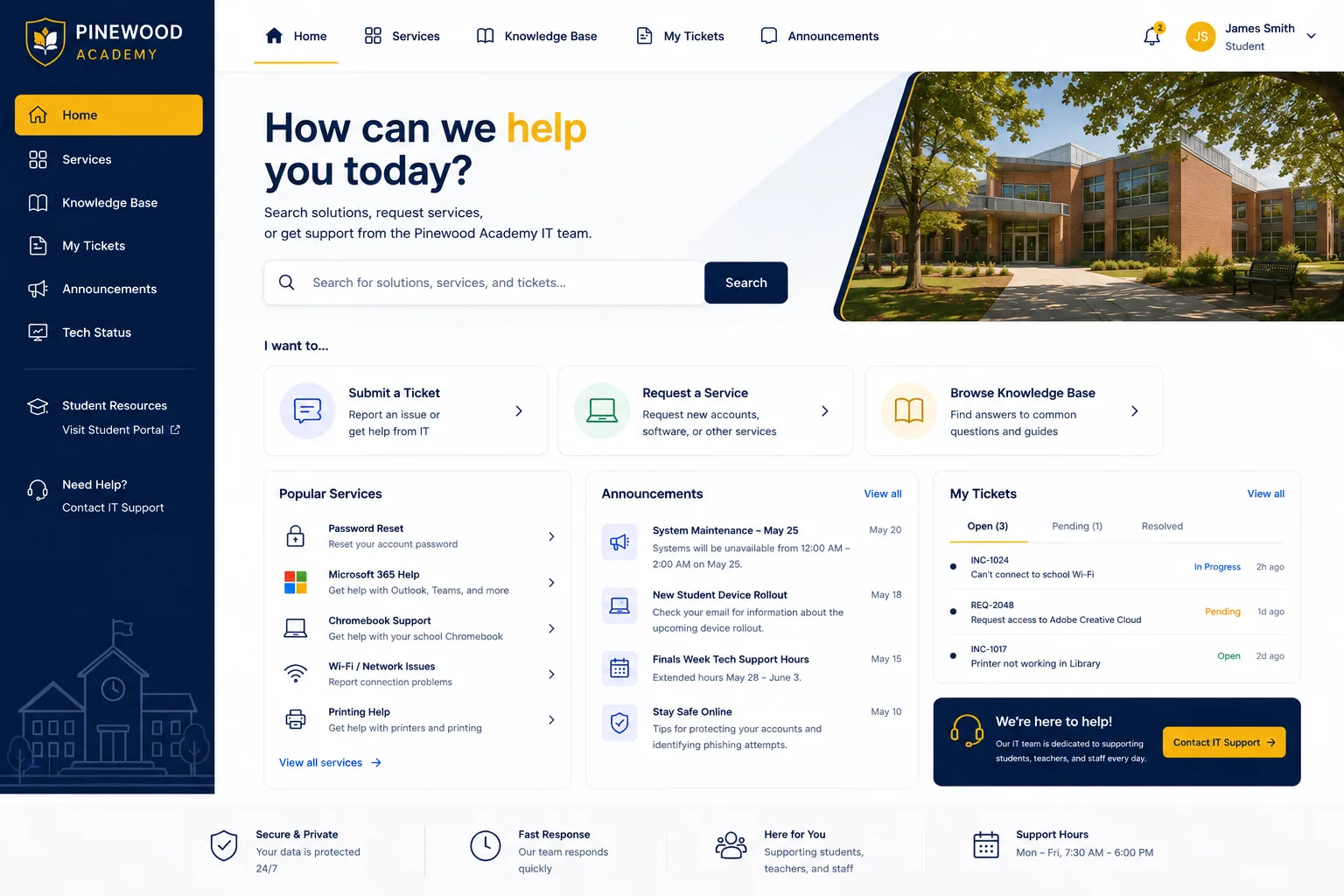
Step 4: Streamline Your Service Catalog
Portal and service catalog redesign should work together. You can't have a great portal if employees don't understand what they can request.
Audit your service catalog ruthlessly:
- Are you offering services that nobody requests? Delete them or consolidate them.
- Are your service names clear and jargon-free? Rewrite them if not.
- Are your request type icons actually representative of what employees are requesting?
- Do you have too many categories? Simplify to 5-7 main request types max.
Each service should have a clear description, realistic estimated time-to-resolution, and obvious next steps. No confusion about what the service actually does.
Step 5: Optimize for Speed and Simplicity
Modern ITSM platforms should support speed and flexibility as core design requirements. Your portal redesign should do the same.
This means:
- Reducing required form fields. Ask only what you absolutely need to know to process the request.
- Using conditional logic to show only relevant questions based on what the employee selects.
- Making the submit button obvious and easy to find.
- Giving employees a clear confirmation and next steps immediately after submission.
Every extra field, every confusing step, every technical term you use pushes employees toward email instead of your portal.
Step 6: Create Clear Help and Guidance

Not everyone knows exactly what to request or how to use your portal. Your redesign should account for that.
Add tooltips, help text, and guided prompts:
Related: SSP Portal Explained: Self-Service Benefits Management Guide
- Include one-sentence descriptions of each service category.
- Add examples of what kinds of requests belong in each category.
- Use placeholder text in form fields to show employees what kind of information you need.
- Link to common self-service articles right from the request form.
The goal is to make the portal so intuitive that most employees can navigate it without calling the helpdesk.
Step 7: Measure and Iterate
After your IT service management portal redesign goes live, track what matters:
- Portal traffic and request volume
- Request completion rates (how many reach "submitted" vs. how many start and abandon)
- Employee satisfaction scores on the portal experience
- Time-to-resolution for requests submitted through the portal
- Reduction in duplicate or poorly formatted requests
Use this data to make small improvements over time. A great portal redesign isn't a one-time project. It's an ongoing process of understanding your users and removing friction.
What Makes a Successful IT Service Management Portal Redesign
You know you've succeeded when:
- Your employees actually use the portal instead of avoiding it.
- Your IT team gets fewer "Can you help me with X" emails because people found it in the portal.
- Request quality improves because people fill out forms thoughtfully instead of rushing through.
- Time-to-resolution improves because requests have complete information from the start.
- Employee satisfaction scores improve, specifically on IT helpdesk accessibility and speed.
These outcomes don't happen by accident. They happen because you've thought carefully about your users, removed friction at every step, and built a portal that your employees actually want to use.
If you're using Freshservice and want a partner who understands both the technical side and the user experience side of portal redesign, Ascend Portal Experience offers fixed-price portal customization that transforms generic helpdesks into branded employee experiences. We've done this work on dozens of Freshservice portals, and we know exactly where the friction points live.
Key Takeaways for Your Redesign Project
Start with user research, not design trends. Audit what you have now. Align your portal with your actual brand. Simplify your service catalog. Optimize for speed. Add help at every step. Measure results. Iterate.
Most importantly: remember that your portal is not a technical tool. It's an employee experience. Design it like one.
How long does a typical IT service management portal redesign take?
It depends on scope. A basic redesign (colors, logos, streamlined service catalog) can be done in 2-4 weeks. A more comprehensive redesign that includes user research, service catalog overhaul, custom branding, and workflow optimization takes 6-12 weeks. Fixed-price providers like Ascend Portal Experience offer clear timelines upfront so you know exactly what to expect.
Can I redesign my Freshservice portal without coding?
Yes. Freshservice's built-in customization tools let you change colors, logos, request type icons, Help Center branding, and form fields without writing a single line of code. If you want more advanced customization (like custom workflows or integrations), you may need a developer, but basic portal redesigns are absolutely doable through the Freshservice interface.
What's the ROI of a portal redesign?
Better adoption rates mean fewer helpdesk calls and emails, less administrative overhead, and faster resolution times because requests come in with complete information. We typically see organizations recover their redesign investment within 3-6 months through efficiency gains alone. The real value is in long-term employee satisfaction and reduced IT team burnout.
Should I redesign my service catalog at the same time as my portal?
Absolutely. A beautiful portal with a confusing service catalog doesn't solve your problem. Redesign them together so your employees understand what they can request and how to submit it.

