Your employee portal isn't just a helpdesk anymore. It's become a core part of how people actually get work done. But here's the thing: most portals still feel generic, clunky, and like an afterthought. The good news? Employee experience portal improvements don't have to be complicated. In fact, the best changes are simple, intentional, and focused on what your people actually need.
Let's walk through the five improvements that are making the biggest difference for IT leaders right now.
Related: Employee Experience Through Portal Design: A Guide
Related: Best Employee Helpdesk Portal User Experience in 2026
Related: IT Helpdesk Portal User Adoption Strategies That Actually Work
1. Make It Mobile-First (Not Mobile-Friendly)
Mobile-first design isn't optional anymore. Your employees are on their phones. They're checking ticket status between meetings, submitting requests from the parking lot, and looking up knowledge articles on their commute. If your portal doesn't work beautifully on mobile, you're already losing them.
The shift from mobile-friendly to mobile-first means you design the experience for a small screen first, then expand it for desktop. It's a different philosophy. Everything gets clearer, faster, and more focused.
Start with this: can your people complete their top 3 tasks on a phone in under 30 seconds? If not, that's your first improvement target. When you're looking at platforms that support this natively, Ascend Portal Experience focuses on portal designs that prioritize this from day one.
2. Reduce Clicks and Steps to Self-Service
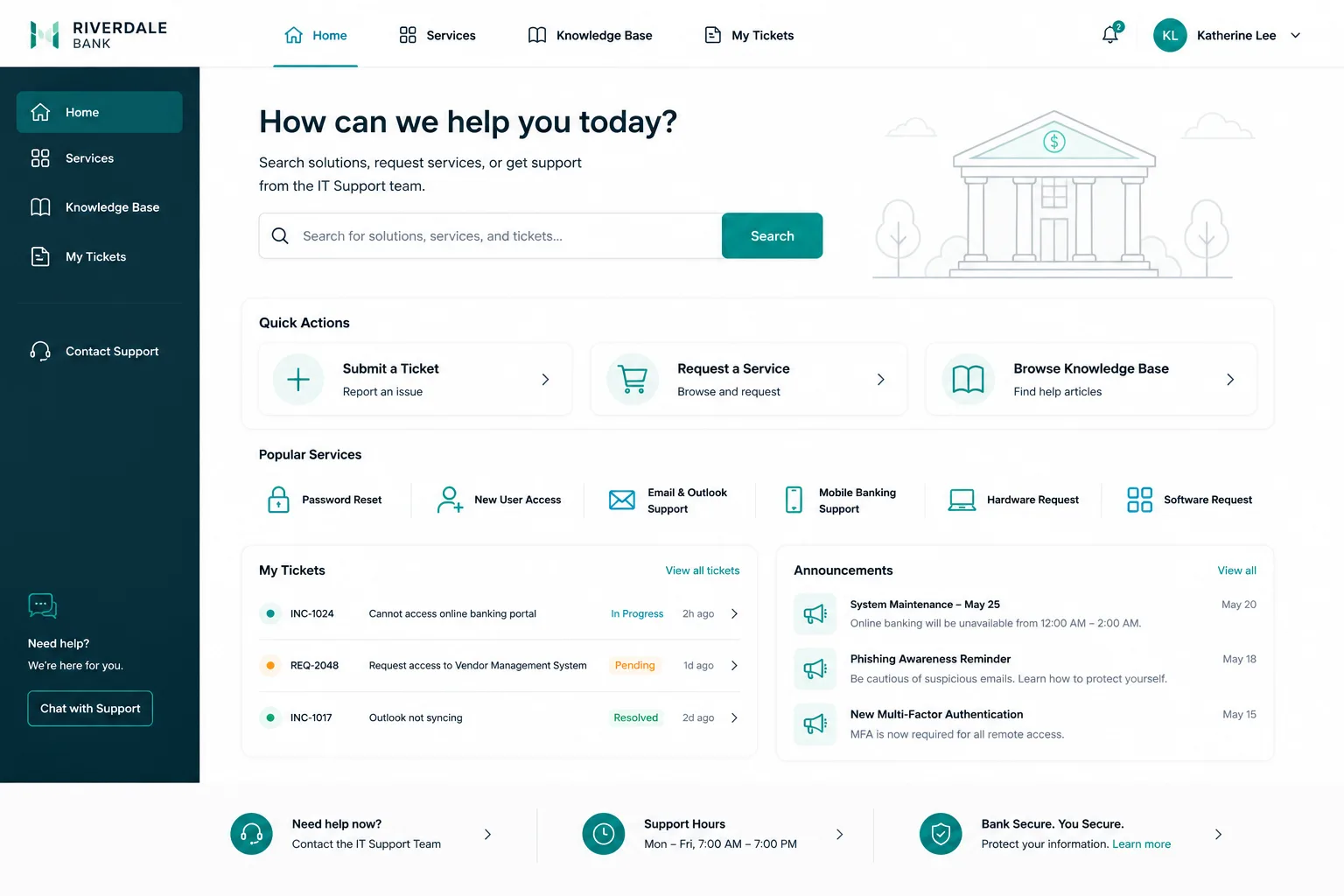
Self-service is where the real efficiency gains happen. When employees can reset passwords, check ticket status, or request equipment without calling the help desk, your team gets time back. But only if the self-service path is actually easier than calling.
Look at your most common requests. Password resets, access requests, time-off approvals, equipment orders. Can your people find these in two clicks? Most portals bury them three or four layers deep.
The improvement here is ruthless: delete every step that doesn't add value. Strip away the forms that ask for information you already have. Pre-fill fields. Use smart defaults. Make the happy path obvious.
3. Integrate Everything Into One Workflow
Your employee just submitted a ticket, then they need to check their IT spend, then they log into a different system to request new software. That's fragmentation, and it kills adoption.
Employee experience portal improvements mean consolidating these workflows into a single portal. One login. One interface. One place where people can handle their IT needs, HR tasks, and workplace requests without jumping between systems.
Related: Employee Portal Interface Improvements: A Complete Guide
This requires integration work. You're connecting your ITSM platform with your HR system, your asset management tools, and your knowledge base. When done right, it's transformative. Your employees see one unified experience, and your support team spends less time context-switching.
4. Use Real Data to Drive Design Decisions

Stop guessing about what your people need. Analytics will tell you exactly where they're struggling.
Track these metrics: which features get the most traffic, where do users drop off, what searches show up in your knowledge base, which forms take the longest to complete. This data is already in your system. You're just not looking at it yet.
According to research from McKinsey on organizational health and digital experience, companies that make data-driven design decisions see 23% higher engagement in their digital tools. That's significant.
Use that insight. Pull your analytics quarterly. Look for friction points. If 40% of people who start a request form abandon it, that's your signal to simplify it. Don't redesign based on how you think people use the portal. Redesign based on how they actually use it.
5. Make Your Brand Visible Inside the Portal
Your portal is an internal touchpoint that shapes how employees feel about your organization. It's a place where you can reinforce your employer brand and culture every single day.
This doesn't mean slapping your logo everywhere. It means using your brand colors intentionally, using your brand language, sharing your company values visually, and making the experience feel like it belongs to your organization. When employees see the generic out-of-the-box portal design, it feels like IT isn't a priority. When they see a branded, thoughtful portal, it says something different.
Related: Best Service Portal for Freshservice: Premium Employee Experience Design
You can customize the portal theme, add branded widgets, feature company news, and showcase your culture. The experience reinforces that you care about employee experience as a strategic priority. This is where teams like Ascend Portal Experience focus their work: taking the generic default portal and transforming it into something that feels intentional and branded.
Want to work together?
Get in Touch →How to Prioritize These Improvements
You don't have to do all five at once. Start with a quick audit: which improvement will have the biggest impact on your people's daily work?
For most organizations, mobile optimization and reducing steps to self-service are the fastest wins. They're visible, they're measurable, and your team will feel the impact immediately.
Integration work is more complex and takes longer, but it's where you unlock the most efficiency. Data-driven design is ongoing. Branding is the polish that makes everything feel intentional.
The key is starting somewhere. Pick one improvement, measure the impact, then move to the next. Over time, these changes compound into a portal that actually works for your people instead of against them.
If you're running Freshservice and want to accelerate these improvements, the Ascend Professional Portal Package is built exactly for this: custom portal design, mobile optimization, integration support, and brand customization. It's fixed-price, so you know the cost upfront. No surprises.
Why Employee Experience Portal Improvements Matter Right Now

Here's the context: in 2026, employee experience has become a distinct, prioritized category for business investment. It's not a nice-to-have anymore. It's how you compete for talent, reduce support costs, and improve overall productivity.
When your portal works well, your IT support team spends less time on routine requests and more time on strategic work. Your employees get frustrated less often. Adoption goes up. Productivity goes up. That's the business case.
The organizations winning right now aren't the ones with the fanciest technology. They're the ones that obsess over the user experience. They measure what matters. They iterate. They make their portal feel like it was designed for their people, not purchased from a catalog.
That's what employee experience portal improvements actually mean. And that's worth your attention.
What's the fastest employee experience portal improvement to make?
Mobile optimization is usually the quickest win. Most portals work poorly on phones, so fixing this is immediately visible to your users. You don't need to rebuild everything. Just make sure your top workflows complete smoothly on mobile devices.
How do I measure whether my portal improvements are working?
Track adoption rates (how many employees use the portal monthly), self-service usage (how many issues are resolved without help desk involvement), time-to-resolution for common requests, and employee satisfaction scores. Compare your numbers before and after each improvement.
Should we rebuild the entire portal or improve the one we have?
Start with improvements to your existing portal. You can add mobile optimization, streamline workflows, and rebrand the interface without replacing the entire system. Only consider a full rebuild if your current platform can't support the customizations you need.
How long do employee experience portal improvements typically take?
Mobile optimization and workflow streamlining usually take 4-8 weeks. Integration work typically takes 2-3 months. Branding and visual customization can happen in parallel and usually takes 2-4 weeks depending on complexity. Full packages combine these into a structured timeline.