
An employee portal is basically your company's digital front door. It's a single login where your team accesses payroll, time-off requests, benefits, company news, documents, and pretty much any work-related tool they need without bouncing between five different websites.
Instead of emailing HR to request vacation or digging through shared drives to find a policy document, employees log in once and find everything personalized to them. That's the whole idea.
Let's walk through what a solid employee portal actually does, why it matters to your organization, and what you should look for if you're building or upgrading one.
What Does an Employee Portal Actually Include?
A functional employee portal covers the big self-service needs that normally land in HR's inbox. Here's what you'll typically find:
Related: IT Service Management Portal Best Practices for 2026
Related: Best Employee Self Service Portal Design & UX Guide 2026
Related: What Is an Employee Self-Service Portal? 2026 Guide
- Time-off and leave management: Employees submit vacation, sick days, or personal time directly. Managers approve. Tracking happens automatically. No back-and-forth email chains.
- Pay stubs and tax documents: Digital access to earnings statements, W-2s, and other tax records. Employees can download anytime instead of calling payroll.
- Benefits information: Health insurance plans, enrollment windows, retirement account details, and wellness program links all in one spot.
- Onboarding materials: New hires get orientation documents, training videos, company handbook, and first-week schedules centralized and ready to go.
- Company news and announcements: Leadership updates, policy changes, and team celebrations broadcast to the whole workforce without getting lost in email.
- Document storage and retrieval: A central place to store, organize, and search for company policies, forms, and personal HR documents.
- Performance and goals: Access to review feedback, goal tracking, and development opportunities without waiting for in-person meetings.
- Employee directory: A searchable list of colleagues with contact info and departments, making internal networking and collaboration easier.
A good portal pulls these functions together under one interface so employees spend less time hunting for information and more time doing actual work.
Why Your Organization Needs a Well-Designed Portal
Here's the thing: a generic, out-of-the-box portal works, but it doesn't feel like *your* company. It looks like it was built in 2015 and abandoned ever since.
When you invest in a portal that's branded, intuitive, and tailored to how your team actually works, adoption goes up. Employees actually use it instead of defaulting back to email and phone calls. Your HR team gets breathing room. Support tickets drop because people can self-serve.
Related: How to Increase IT Helpdesk Portal Adoption in 2026
It's also a retention thing. Employees notice when their company invests in tools that respect their time. A clunky, confusing portal sends the opposite message.
If you're using Freshservice as your IT service management platform, Ascend Portal Experience specializes in transforming the default Freshservice portal into something that feels custom-built for your organization, complete with your branding, your workflows, and your look and feel.
Want to work together?
Get in Touch →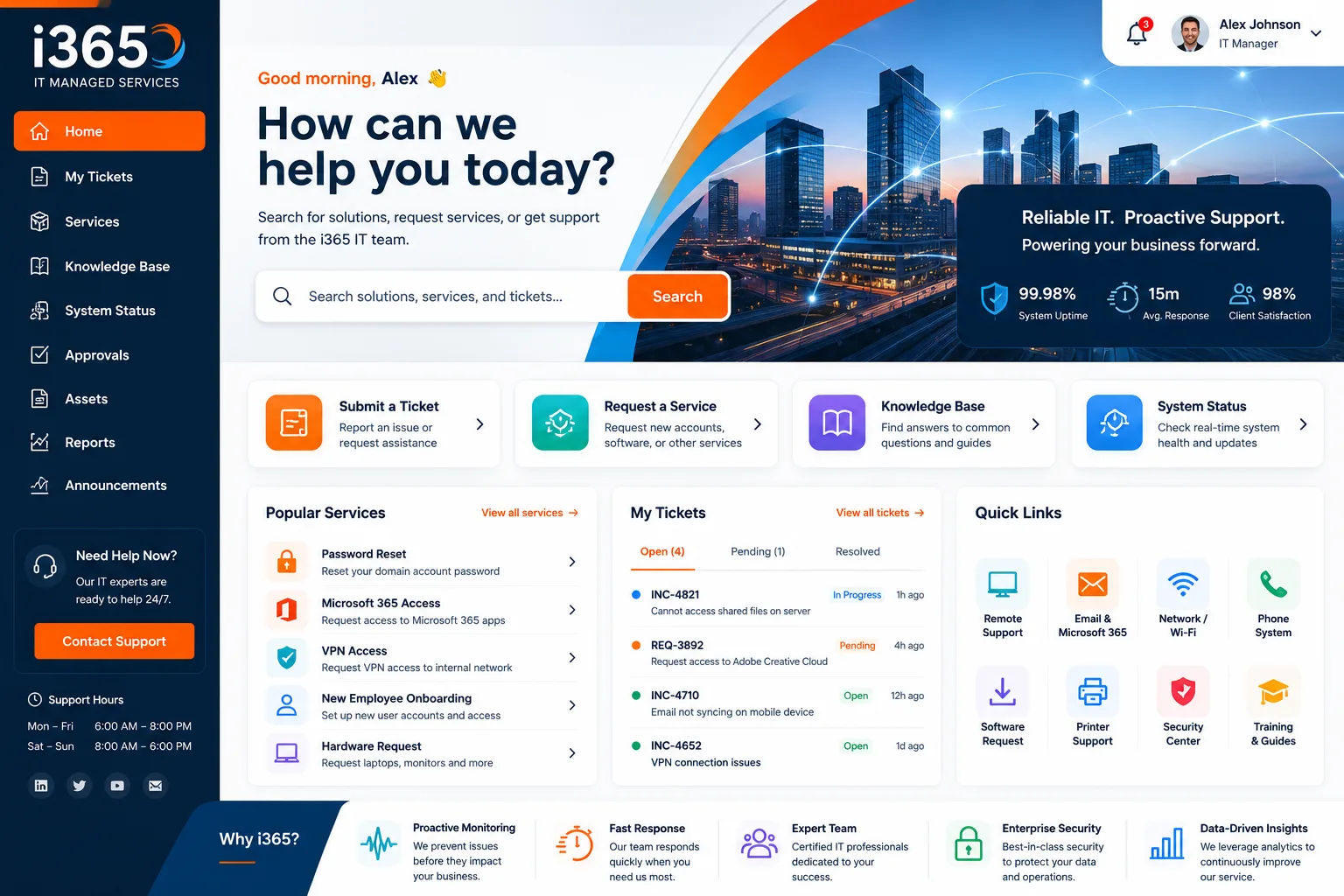
Key Features to Look For in an Employee Portal
Not every portal is built the same way. Here's what separates a great one from mediocre:
Related: Best Employee Helpdesk Portal User Experience in 2026
- Mobile-first design: Your team checks their phone more than a desktop. The portal needs to work seamlessly on mobile or you've already lost half your audience.
- Search that actually works: Employees should find what they need in two clicks, not ten. A strong search function saves time and reduces support tickets.
- Single sign-on (SSO): One login to access the portal and all connected apps. Multiple passwords = people writing them on sticky notes.
- Personalization: The portal should show each employee their own data, requests, and relevant announcements. Generic content feels cold.
- Integration with your existing tools: If payroll, benefits, HR, and IT systems don't talk to each other, the portal is just a window into silos. Real value comes from connection.
- Clear workflows: When an employee requests time off or submits an IT ticket, they should see exactly what happens next and when.
- Analytics and insights: You should be able to see which features employees use most, where they get stuck, and what's driving support requests.
How Onboarding Looks Inside a Portal

New hire onboarding is where employee portals really shine. Instead of printed handbooks and scattered email attachments, everything is organized and trackable.
On day one, the new employee logs in and finds orientation videos, required paperwork (W-4, tax forms, emergency contacts), IT setup guides, team introductions, and their first week schedule all waiting.
They complete what they need at their own pace. HR can see what's been reviewed and what's pending. If the employee is confused about benefits enrollment, they find the link right there instead of guessing who to ask.
That's not just convenient. It's the difference between an employee feeling welcomed and feeling lost on day one.
Portal Communication and Collaboration
Beyond self-service, a strong employee portal functions as an internal communication hub. Think of it as your company's internal social network, but focused and professional.
Leadership shares updates that matter to everyone. Teams post announcements about policy changes or new initiatives. Employees can see the big picture instead of hearing rumors through the grapevine.
When communication is centralized and visible, your organization moves faster and reduces confusion. People know what's happening instead of asking their manager, who heard it from someone else.
Document Management Within a Portal
Your company has hundreds of documents: policies, procedures, templates, compliance guides, and more. Without a portal, these live in random shared drives that nobody can navigate.
A solid portal creates a searchable library organized by category. Employees find what they need. HR knows where everything is. You can track version updates so nobody's using outdated policies.
It's also critical for compliance. You need audit trails showing who accessed what and when. A portal gives you that transparency automatically.
Choosing Between Pre-Built and Custom Portal Solutions

You have two paths forward. Pre-built, off-the-shelf portals are cheaper upfront and faster to launch. But they often feel generic because they're built for everyone and optimized for nobody.
Custom or customized solutions take more planning but give you a portal that matches your brand, your workflows, and your culture. Your employees get an experience that feels intentional, not like something IT threw together.
If you're working with Freshservice and want a portal that actually represents your organization, the Ascend Professional Portal Package delivers fixed-price customization that moves you beyond the default experience without the unpredictable costs of custom development.
Common Portal Use Cases That Drive Real ROI
Here's where the money gets made (in terms of time and operational efficiency):
- Leave and absence management: Self-service time-off requests cut HR processing time from hours to minutes. Automated approvals reduce back-and-forth.
- Performance management: Employees and managers access goals, feedback, and reviews in real time. Nobody's surprised during annual review season.
- Benefits and payroll: Self-service access to tax documents and benefits info means payroll doesn't field the same questions every quarter.
- IT support and ticket submission: If your portal is integrated with your IT service desk, employees log requests directly. You get better data and faster resolution.
- Internal communication: Company announcements reach everyone at once. Employees feel connected instead of out of the loop.
Each of these use cases reduces manual admin work and improves employee experience simultaneously. That's why a well-built portal is strategic, not just nice to have.
What Makes a Portal Adoption-Friendly
The best portal in the world doesn't matter if your team doesn't use it. Adoption depends on three things: ease of use, speed, and relevance.
If the portal is hard to navigate, slow to load, or doesn't solve real problems your employees have, they'll ignore it and keep using workarounds. You'll have spent time and money on a tool nobody touches.
Before you launch, test with actual users. Watch how they interact with it. Where do they get stuck? What features do they skip? Then iterate based on that feedback.
When Ascend Portal Experience designs a portal customization, the focus is always on adoption and usability, not just checking boxes on a feature list. Your employees should want to use it because it makes their day better.
Portal Security and Employee Trust
Employees are handing over sensitive information: tax data, benefits elections, personal documentation. They need to trust that it's secure.
A credible portal has role-based access control (HR sees payroll, managers see their team's requests, employees see only their own data), encrypted data transmission, regular security audits, and clear privacy policies.
Security isn't flashy, but it's non-negotiable. One breach destroys employee trust and opens your organization to liability.
The Next Step: Planning Your Portal Upgrade
If you're thinking about building or upgrading an employee portal, start with clarity on what you're trying to solve.
Are your HR team drowning in repetitive requests? Design the portal around self-service. Is communication fragmented across too many platforms? Make the portal your internal news hub. Is onboarding chaotic? Build a onboarding workflow into the portal.
Know your constraints too. Budget, timeline, technical resources, and your existing systems all affect what's realistic.
If you're using Freshservice and ready to move beyond the default experience, talking through your specific needs with a team that specializes in portal design can clarify what's actually possible and what the right investment looks like for your organization.
Related: Freshservice Portal UI Improvements: What's New in 2026
What's the difference between an employee portal and an HR portal?
An HR portal focuses specifically on HR functions: benefits, payroll, time-off, and personal documents. An employee portal is broader. It includes HR self-service but also internal communication, company news, team collaboration, IT support, and other business tools. Think of HR portal as a subset of a full employee portal.
Can we build our own employee portal or should we use a vendor solution?
Building from scratch gives you complete control but requires dev resources, ongoing maintenance, and higher costs. Vendor solutions get you to launch faster and include support, but you're often stuck with limited customization. Many organizations find the sweet spot in a vendor solution that offers customization, so you get vendor support plus a portal tailored to your needs instead of fighting generic features.
How long does it take to implement an employee portal?
A pre-built portal can launch in weeks. A fully customized portal takes longer because of design, integration work, testing, and user feedback cycles. The timeline also depends on how complex your requirements are and how responsive your team is to approvals. Budget for at least a few months if you want something beyond off-the-shelf.
Do employee portals really reduce HR workload?
Yes, but only if employees actually use them. A portal that's confusing or missing key features won't reduce anything because nobody will touch it. The real ROI comes from adoption, so design and ongoing communication matter as much as the portal itself. When adoption is high, repetitive HR tasks drop significantly.


