
Getting employees to actually use your IT helpdesk portal is harder than it looks. You can have the most feature-rich system in the world, but if people aren't logging in and engaging with it, your investment is basically dead weight. The good news? There are battle-tested strategies that move the needle on adoption, and they don't require you to become a tech wizard.
Let's break down what works, what doesn't, and how to build an adoption strategy that sticks with your team.
Start With Executive Sponsorship (Seriously)
This is step one, and honestly, it's non-negotiable. You need someone with real authority in your organization to champion the portal rollout. That person becomes the public face of the initiative.
Why does this matter? Because employees pay attention to what leadership cares about. When your CIO, VP of IT, or head of operations says "we're moving to this portal and it matters," people listen. Without that top-down signal, adoption feels like just another IT project being forced on people.
Your sponsor should be visible in kickoff meetings, send emails about milestones, and make it clear that successful adoption is a business priority, not a tech nicety. This is where your IT helpdesk portal user adoption strategies begin.
Related: Helpdesk Portal Transformation Strategy: 7 Steps to Success
Related: Best IT Helpdesk Portal Redesign Process for Freshservice
Related: Best Self Service Helpdesk Portal Design for Freshservice
Related: How to Create a Self-Service Portal That Actually Works
Related: Best IT Helpdesk Portal Modernization for Freshservice Users
Related: Branded Helpdesk Portal Best Practices for Freshservice
Related: How to Rebrand Freshservice Helpdesk Portal in 2026
Related: Best Branded IT Helpdesk Portal Solutions 2026: Top 5 Ranked
Customize the Experience for Your Actual Users
Generic portals are adoption killers. When everyone sees the same interface regardless of their role, people get confused fast. A field technician and an office manager have completely different needs, so why would they see the same dashboard?
Related: Portal User Experience Design for IT Teams: A Complete Guide
Tailoring user experiences to different roles and departments increases portal utilization significantly. You want IT managers seeing management dashboards. You want employees seeing quick-access ticket submission buttons. You want executives seeing high-level metrics.
Related: Employee Experience Portal Improvements: 5 Changes That Work
This customization is what separates a portal that employees tolerate from one they actually love using. Ascend Portal Experience specializes in building portals that feel tailored to your organization's specific workflows, which directly impacts how people engage with the system.
Want to work together?
Get in Touch →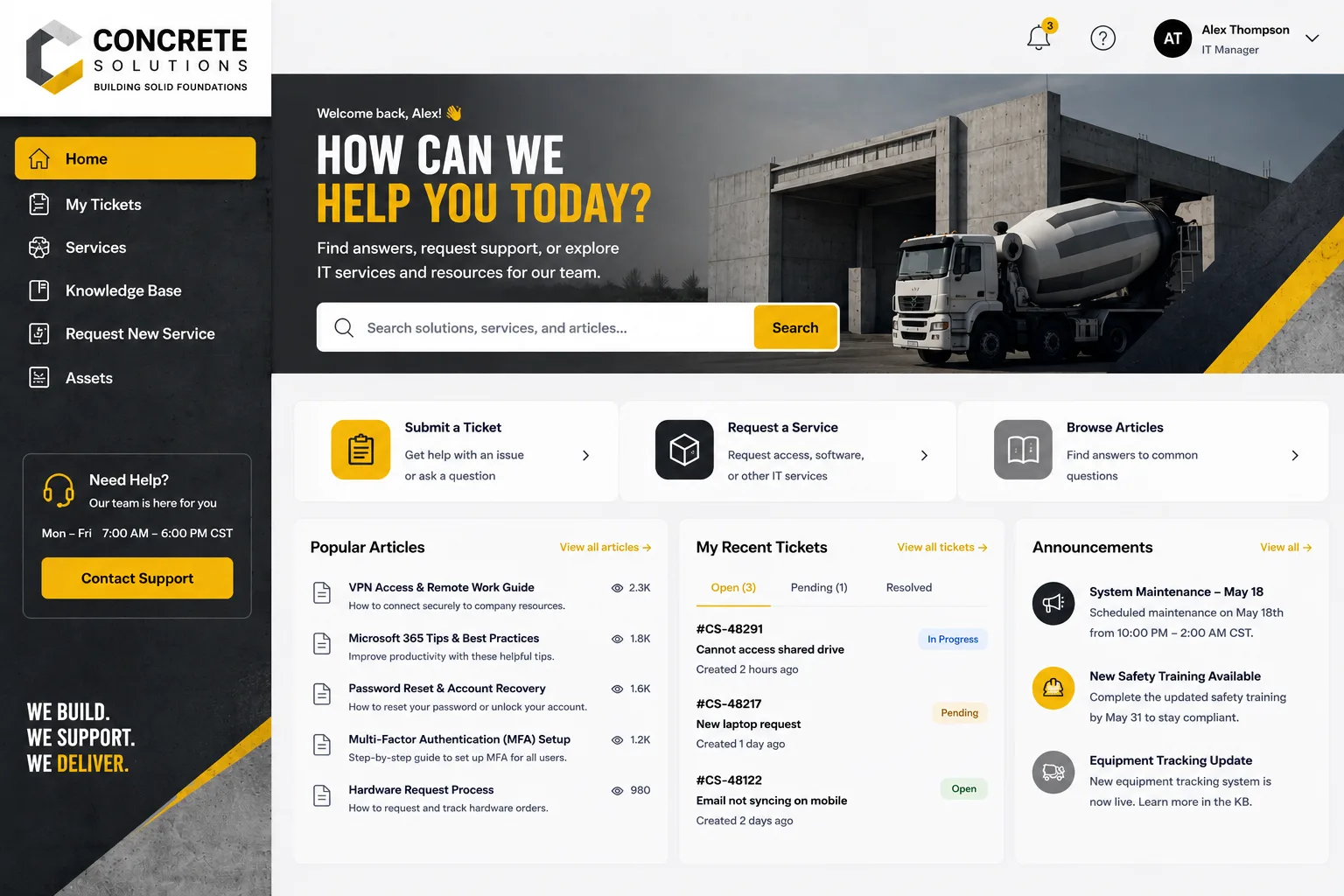
Build a Multi-Format Training Program
One training session isn't enough. Different people learn different ways, and you need to meet them where they are.
Your training arsenal should include:
- Short video tutorials (2-3 minutes, focused on one task each)
- Live walkthroughs with IT staff available for questions
- Step-by-step written guides with screenshots
- Quick reference cards people can print or save
- In-app tooltips and contextual help built into the portal itself
Multi-format training improves knowledge retention dramatically. Video learners get videos. People who like reading get documentation. Folks who learn by doing get hands-on sessions. By covering all the bases, you eliminate the excuse of "I didn't know how to do it."
Embed Help Right Into Your Portal
In-app guidance is a game-changer. This means tooltips that appear when someone hovers over a field, embedded tutorials that show up the first time someone visits a section, and contextual help that's always one click away.
Why? Because it reduces friction. People don't have to dig through documentation or send an email to IT when they're confused about something. The answer is right there in the interface. This dramatically lowers the learning curve and removes a huge barrier to adoption.
Think of it like this: every time someone has to leave your portal to find help, you've lost them. Embedding guidance keeps them in the flow and makes the system feel intuitive.
Create a Structured Onboarding Plan

Onboarding quality matters significantly for B2B tool adoption. You can't just flip a switch and expect everyone to be productive on day one. You need a structured plan that gets people up to speed predictably.
Your onboarding should include:
- Pre-launch communication (emails, meetings, announcements)
- A "launch day" kickoff where the portal goes live
- First-week intensive support (extra IT staff standing by)
- Checkpoint check-ins at 1 week, 1 month, and 3 months
- Feedback collection to identify what's working and what's not
This structured approach prevents the chaos of a random rollout. People know what to expect, and IT teams know when to be extra available for questions.
Personalize Experiences Based on Actual Workflows
Beyond role-based customization, personalization goes even deeper. User experiences tailored to individual needs and workflows increase adoption rates significantly.
For example, if someone in accounting always submits password reset requests on Mondays, show them a one-click shortcut for that. If a manager frequently checks ticket status for her team, make that dashboard her homepage. If someone always bundles multiple requests together, streamline that workflow.
Personalization makes the portal feel like it was built for that specific person, which creates emotional buy-in and habit formation. People start thinking "this portal knows how I work" instead of "this portal gets in my way."
Track Adoption Metrics (and Actually Look at Them)
Measurable metrics are required to know if your strategy is working. You can't improve what you don't measure. Pick 3-5 KPIs that matter to your business, then monitor them religiously.
Some solid adoption KPIs include:
- Active user rate (how many employees log in monthly)
- Feature adoption rate (what percentage use each major feature)
- Time-to-productivity (how long until new users complete their first ticket)
- Support ticket volume (is IT getting fewer calls about how to use the portal)
- User satisfaction scores (are people happy with the experience)
Tracking these metrics lets you spot lagging segments early. Maybe one department isn't adopting while others are flying. That's your signal to send extra training or adjust the interface for that group's needs.
Partner With End Users During Implementation
A partnership approach improves outcomes dramatically. Don't build the portal in a back office and surprise everyone with it. Bring actual employees into the design and testing process.
Related: How to Improve Employee Portal Experience: 5 Proven Strategies
Get representatives from different departments to test early versions. Ask for their feedback. Make visible changes based on what they suggest. This creates buy-in because people see themselves in the final product, not something handed down from IT.
When employees feel heard, they become advocates instead of resisters. They'll evangelize adoption within their teams because they feel ownership over the portal. That word-of-mouth effect is worth more than any official communication.
Leverage AI-Driven Support to Scale Your Efforts

By 2026, AI-led support is becoming the norm for sophisticated helpdesk operations. Chatbots and AI assistants can provide instant answers to common adoption questions, reducing the load on your IT team and keeping users unblocked.
An AI-powered assistant can guide someone through ticket submission, answer questions about portal features, or escalate complex issues to a human. This means 24/7 support without burning out your IT staff.
The key is making sure your AI implementation feels helpful, not annoying. Poor AI is worse than no AI. But done right, it removes adoption friction and makes your portal feel like a partner instead of an obstacle.
Build a Documented Adoption Framework
B2B support leaders differentiate through documented adoption and support frameworks. In other words, don't just wing it. Write down your strategy, your processes, your training curriculum, and your support escalation paths.
A documented framework means:
- New IT staff know how to support adoption without reinventing the wheel
- You can measure consistency and success over time
- You have a repeatable playbook for future rollouts
- Leadership can see exactly what you're doing and why it matters
Think of your adoption framework as the operating manual for making your portal successful. When you document it, you can optimize it, defend it, and replicate it.
Align Adoption With Business Outcomes
Here's the honest truth: adoption strategy directly impacts ROI. Strong adoption strategies boost retention, reduce operational costs, and increase lifetime value. This isn't fluffy stuff. This is measurable business impact.
When 90% of your employees use the portal instead of 40%, your IT team spends less time on phone calls. Tickets get submitted with better data. Response times improve. Employee satisfaction goes up. All of that flows to the bottom line.
That's why investment in adoption strategies isn't a cost. It's the unlock that makes your entire helpdesk investment pay off. Ascend Portal Experience builds portals specifically designed to maximize adoption and ROI because we know these outcomes matter to your organization.
Make Adoption Easy to Maintain Long-Term
Getting people to adopt your portal on day one is one challenge. Keeping them engaged six months later is another. Adoption isn't a one-time event. It's ongoing.
Keep momentum by regularly introducing new features or improvements. Share success stories of how the portal solved someone's problem. Celebrate adoption milestones. Run quarterly refresher trainings. Keep the portal feeling alive and useful, not stale and forgotten.
When people see that the portal is actively improving and that leadership still cares about it, they stay engaged. If it feels abandoned, adoption will decline.
Related: Improving IT Service Portal Adoption Rates: 7 Proven Tactics
Why does IT helpdesk portal adoption matter?
High adoption reduces support tickets, improves employee experience, lowers IT operational costs, and increases ROI on your ITSM investment. It's not just a nice-to-have. It's fundamental to the success of any helpdesk modernization effort.
Related: How to Increase IT Helpdesk Portal Adoption in 2026
Related: Best Employee Helpdesk Portal User Experience in 2026
What's the biggest barrier to adoption?
Poor user experience. If your portal is confusing, slow, or doesn't match how people actually work, adoption will fail. That's why customization and usability testing are so critical. Check out what Ascend Portal Experience does with Freshservice portal design to see how professional customization drives adoption.
Related: Best Freshservice Portal Optimization for Adoption in 2026
How long does it take to see adoption gains?
You should see measurable movement in your adoption metrics within 4-6 weeks. Significant impact typically shows up within 3 months. However, sustained adoption requires ongoing effort and continuous improvement. It's a marathon, not a sprint.
Can you force adoption?
No. You can mandate that people use the portal, but true adoption comes from employees choosing to use it because it makes their jobs easier. The strategies in this guide are designed to create that voluntary choice through great design, clear communication, and removing friction. That's what makes adoption stick.