
Your enterprise portal is basically your company's digital handshake with employees. When it looks generic or disconnected from your brand, adoption suffers. The good news is that enterprise portal customization for branding isn't just possible—it's expected at the enterprise level in 2026.
If you're running Freshservice as your ITSM platform, you've got real options for transforming a default helpdesk into something that feels intentionally designed for your organization. Let's walk through what's possible, how it works, and why it matters more than you might think.
Why Enterprise Portal Customization for Branding Actually Moves the Needle
Here's the thing: employees judge your IT department by what they see first. A bland, untouched portal sends the message that IT doesn't care about user experience. A branded portal does the opposite.
When your portal reflects your company's visual identity, colors, typography, and messaging, something shifts. Employees feel like they're using a tool made for them, not a software company's default template. That small psychological difference translates to higher adoption rates and fewer tickets routed to the wrong place because employees understand the interface.
Beyond adoption, a customized portal reinforces your brand consistency. Your website looks a certain way. Your internal comms look a certain way. Your portal should too. Ascend Portal Experience specializes in exactly this kind of strategic alignment—treating your portal as a branded touchpoint, not an afterthought.
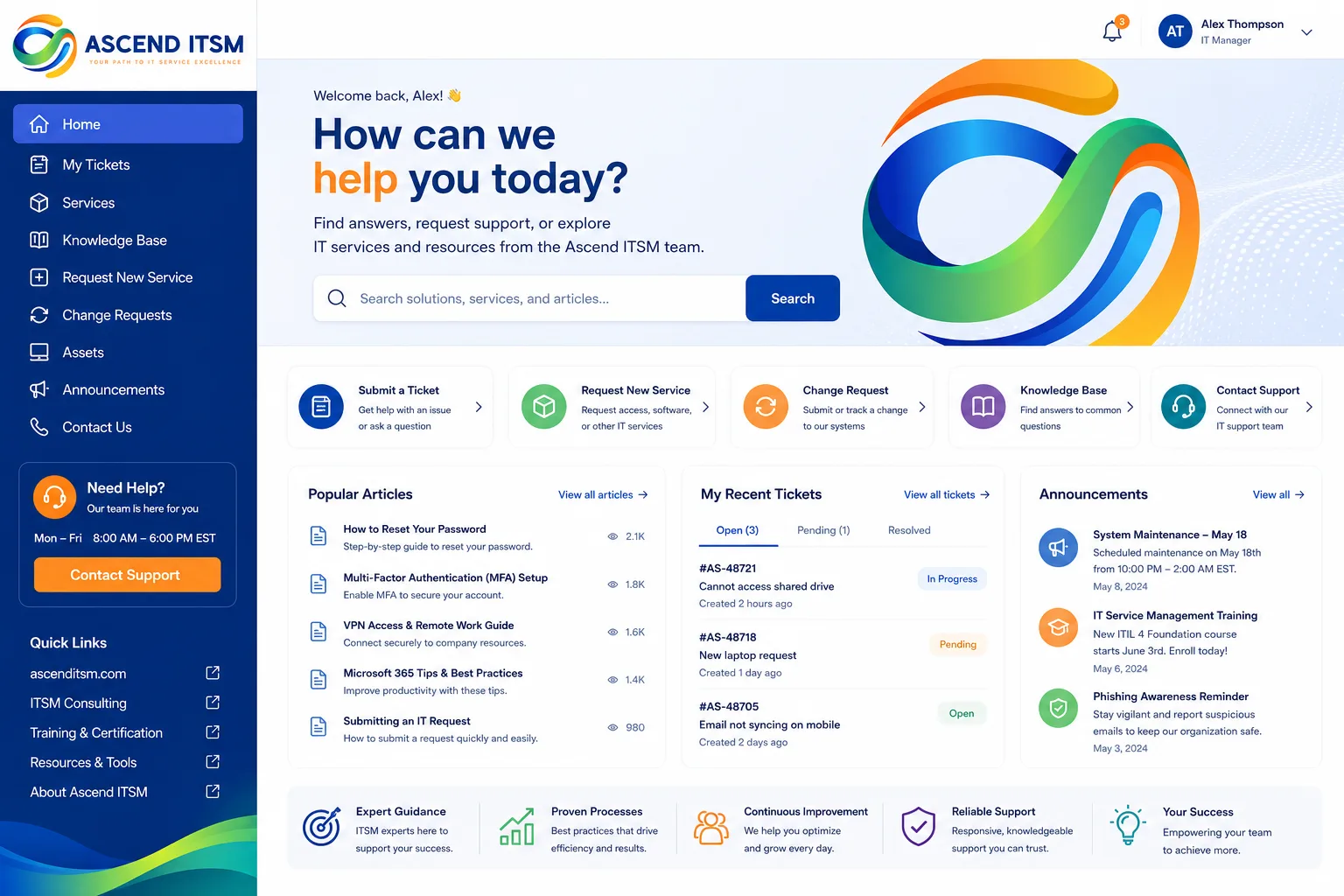
Login Page Customization: Your First Impression
The login page is usually where customization starts, and frankly, it's the highest-impact place to begin.
Your login screen can include your company logo, your brand colors, custom backgrounds, and messaging that sets the tone for what's inside. Instead of seeing "Freshservice" branding, employees see your branding. That's it. That's the entire first impression.
You have two main routes here:
- Full-screen template approach: Pick from pre-built templates that handle layout and design for you. These are fast, look polished, and work well if your branding is straightforward.
- Custom CSS implementation: For teams with development resources or working with an agency partner, custom CSS files give you pixel-perfect control. You're not constrained by template assumptions.
Most mid-to-large enterprises find that a custom CSS approach gives you the flexibility to match your actual brand guidelines without compromise. But templates are genuinely useful if you need to move fast.
Full Portal Design and Layout Customization
Login is just the entry point. Real enterprise customization extends throughout the entire portal experience.
Related: Employee Experience Through Portal Design: A Guide
Related: Freshservice Portal Design Best Practices: 2026 Guide
Related: Improving Freshservice Portal Engagement Metrics: A Guide
Related: Freshservice Portal Employee Engagement Strategy: A Practical Guide
Related: Freshservice Portal Customization Services: A Complete Guide
Related: Freshservice Portal Accessibility Features: Complete Guide
Related: Employee Portal Interface Improvements: A Complete Guide
Related: Best Freshservice Portal Navigation Customization 2026: Top 5 Ranked
Related: Best Enterprise Freshservice Portal Deployment 2026: Top 5 Ranked
You can customize page layouts, navigation structures, dashboard elements, color schemes, and typography. The goal is consistency. When an employee moves from the login screen to their dashboard to submitting a ticket, they should feel like they're moving through a cohesive branded experience—not jumping between different systems.
This includes things like:
- Adjusting sidebar navigation to match your internal taxonomy
- Restyling form fields and buttons to match your design system
- Customizing dashboard cards and widgets for your use case
- Ensuring typography and spacing align with your brand standards
- Adding custom messaging or onboarding copy that explains your specific IT processes
The practical impact: employees find what they need faster, because the interface matches how your company actually works.
Plan-Level Access and What You Need to Get Started
Here's an important guardrail: branding customization features in Freshservice are available only on Pro and Enterprise plan tiers. If you're on a lower-tier plan and this matters to your roadmap, you'll need to upgrade.
Once you're on Pro or Enterprise, customization is available. The real question becomes: do you have the in-house expertise to do it well, or should you partner with someone who specializes in this?
Most enterprises we work with realize that DIY customization has hidden costs. Even if your team can technically implement CSS or templates, doing it right takes discovery time, testing, iteration, and ongoing maintenance. Ascend Portal Experience offers the Ascend Professional Portal Package, which bundles strategic discovery, design, implementation, and testing under a fixed price. You know the cost upfront. No surprises.
Want to work together?
Get in Touch →CSS Customization: When You Need Fine-Grained Control
CSS (Cascading Style Sheets) is the language browsers use to style websites and web applications. In Freshservice, you can upload custom CSS files that override or extend the default styling.
This is powerful because it lets you:
- Match your exact brand colors, not approximations
- Implement custom fonts and typography
- Adjust spacing, borders, and visual hierarchy
- Create custom components or interactions that templates don't support
- Future-proof your design as your brand evolves
The catch: CSS customization requires someone who understands how styling works. If your team doesn't have that skill, you're looking at hiring a contractor or agency partner. The investment is real, but so is the payoff.
The Business Discovery Piece That Changes Everything
Here's where a lot of in-house customization efforts falter: they skip discovery and jump straight to design.
Good enterprise portal customization starts with understanding your actual business goals. Are you trying to reduce IT ticket volume by making self-service more obvious? Are you onboarding new employees and need the portal to feel welcoming? Are you dealing with low adoption in a specific department and need to address their workflow? Are you rebranding the entire company and need the portal to reflect new visual identity?
Your answers to those questions should drive design decisions. A generic template doesn't know the difference.
This is why Ascend Portal Experience starts every engagement with structured discovery. We talk to your stakeholders, map user workflows, audit your current portal against your brand guidelines, and identify friction points. Only then do we design. It sounds obvious, but it's what separates work that actually moves the needle from work that just looks good.
Multi-Element Branding: Consistency Across the Entire Experience
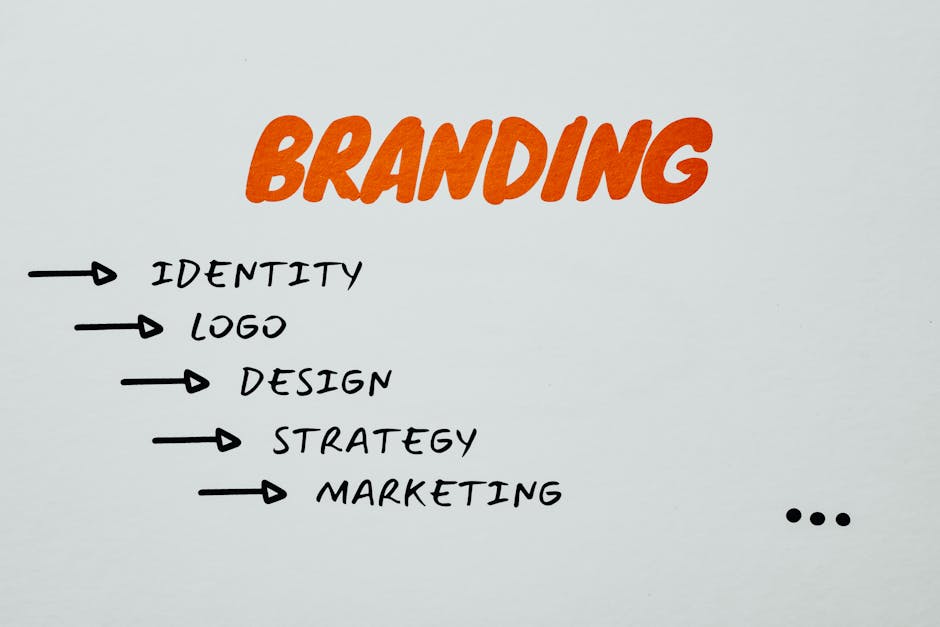
True customization isn't just one login page redesign. It's thinking about how your brand shows up at every touchpoint.
This includes:
- Visual identity: Logo, colors, imagery, typography
- Voice and messaging: How copy speaks to users (formal vs. friendly, jargon-heavy vs. plain language)
- Navigation patterns: How information is organized and labeled
- Micro-interactions: How buttons respond, how forms behave, how errors are communicated
- Accessibility: Making sure customization doesn't tank usability for people with disabilities
When these elements are aligned, your portal doesn't feel like a bolt-on system. It feels like part of your company.
Implementation and Ongoing Maintenance
Getting the design right is one thing. Implementing it correctly is another.
You need to account for:
- Testing across browsers and devices
- Ensuring performance doesn't degrade (custom CSS can slow things down if not written carefully)
- Documenting what was customized so future maintainers understand it
- Planning for updates when Freshservice releases platform changes that might affect your custom styling
- Gathering feedback from actual users and iterating
This is why fixed-price packages make sense. You're not paying hourly while a contractor figures things out. You're paying for a predictable outcome with known scope and timeline.
Real-World Scenarios Where Portal Customization Pays Off
You're deciding whether to invest in this. Here are some scenarios where it's clearly worth it:
- High-volume self-service environments: If your goal is to shift ticket volume away from agent queues, a portal that feels intuitive and branded drives higher self-service completion rates.
- Distributed or remote workforces: The portal might be the primary touchpoint for IT support. Making it feel intentional builds confidence in IT systems.
- Recent rebrand or acquisition: If your company went through a rebranding, your portal can't look like the old company. It creates confusion and signals that IT wasn't part of the transformation.
- High employee turnover or seasonal hiring: New employees judge IT systems early. A branded, polished portal makes onboarding smoother and builds goodwill.
- Competitive IT talent market: Your employees are software developers or designers. They notice when your internal tools look neglected. A polished portal signals that your company cares about employee experience.
Getting Started: Questions to Ask Yourself
Before you commit budget, ask yourself these questions:
- Are we on a Freshservice Pro or Enterprise plan? (If not, this isn't possible yet.)
- Do we have a documented brand guideline that should extend to the portal?
- What's our actual goal: adoption, self-service, onboarding, visual consistency, or something else?
- Do we have in-house development resources, or should we partner with an agency?
- What's our timeline? (Discovery and design typically take 4-8 weeks, depending on complexity.)
- Who owns this? (You need a sponsor who cares about the outcome.)
If you're serious about moving forward, Ascend Portal Experience can walk you through the discovery and scoping process. We've done this for dozens of mid-to-large enterprises, and we can tell you pretty quickly whether customization is the right move for your situation or if there are quicker wins to pursue first.
Measuring Success After Customization
How do you know if your customization investment worked?
Track these metrics before and after:
- Portal login rates: Are more employees using the portal after the redesign?
- Self-service ticket submission: Are employees submitting their own tickets instead of emailing IT?
- Ticket resolution time: Are tickets being resolved faster because they're submitted with better information?
- User satisfaction: Ask employees directly. A simple survey post-launch tells you a lot.
- Support ticket volume: Do you see a decrease in "How do I use the portal?" tickets?
These aren't vanity metrics. They tell you whether your portal is actually changing behavior. According to research from the Forrester Research team on digital experience, thoughtful portal design measurably impacts employee engagement and satisfaction with IT services.
Can I customize my Freshservice portal without upgrading my plan?
No. Branding customization features are exclusive to Pro and Enterprise plans. If you're on a Standard plan, you'll need to upgrade first. Once you do, the customization tools are available to you.
Related: Best Freshservice Portal Accessibility Customization for Enterprise Teams
Related: Best Enterprise IT Portal Personalization Features for 2026
How long does enterprise portal customization typically take?
Discovery and initial design usually take 4-6 weeks. Implementation and testing add another 2-4 weeks. If you're working with an agency partner like Ascend Portal Experience, we typically package this as a fixed-scope engagement so there are no surprises. If you're doing it in-house, timeline depends heavily on your team's bandwidth.
What if our company rebrands again after customization?
Good question. Custom CSS implementations are designed to be maintained and updated. When your brand evolves, you update the color values, fonts, and imagery. It's not starting from scratch. A well-documented customization makes future updates manageable. That's why planning for maintenance upfront matters.
Do I need a developer to customize my portal?
Templates don't require development skills. Custom CSS does. If your team doesn't have CSS expertise, you have two options: hire someone or partner with an agency that specializes in portal customization. For most enterprises, the latter is faster and less risky.


